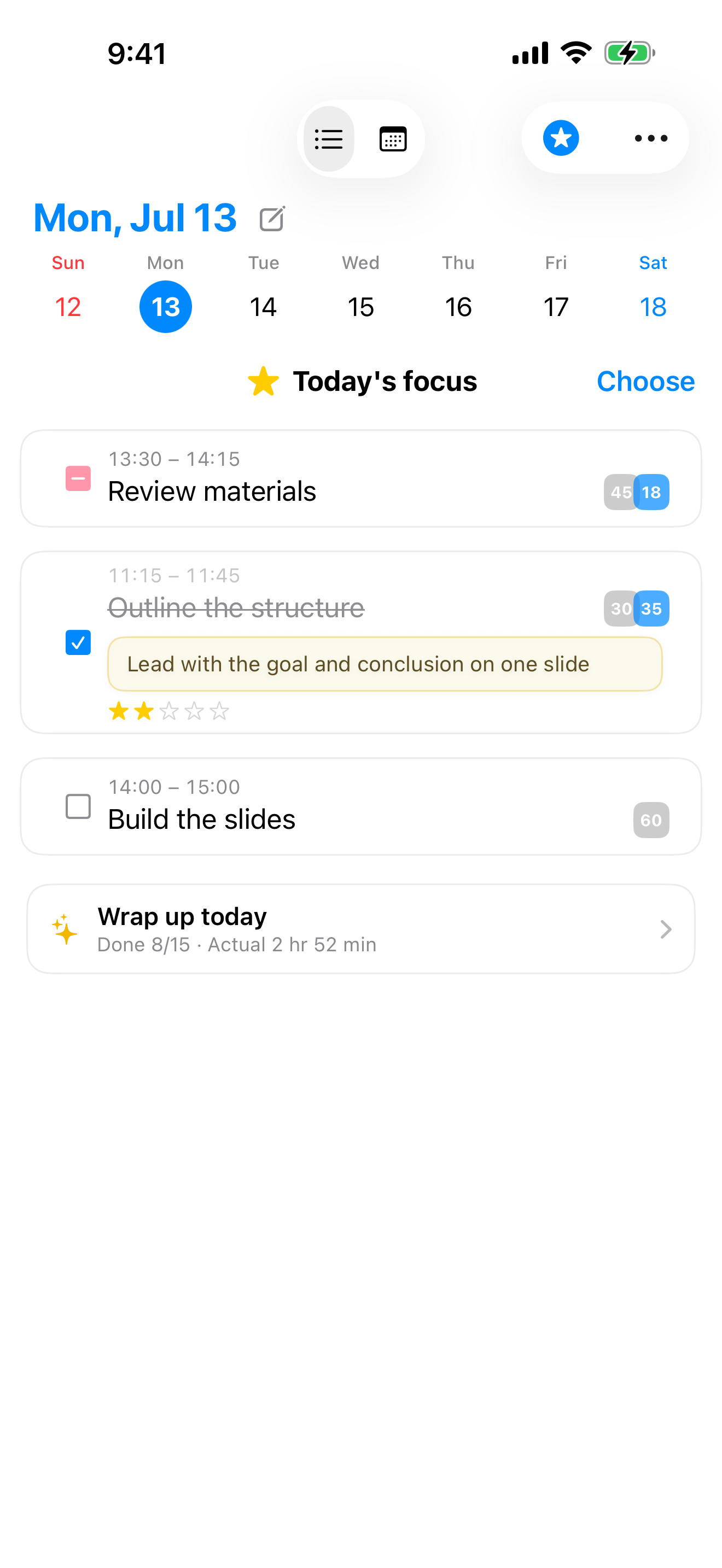
見積もる、
集中する、
うまくなる。
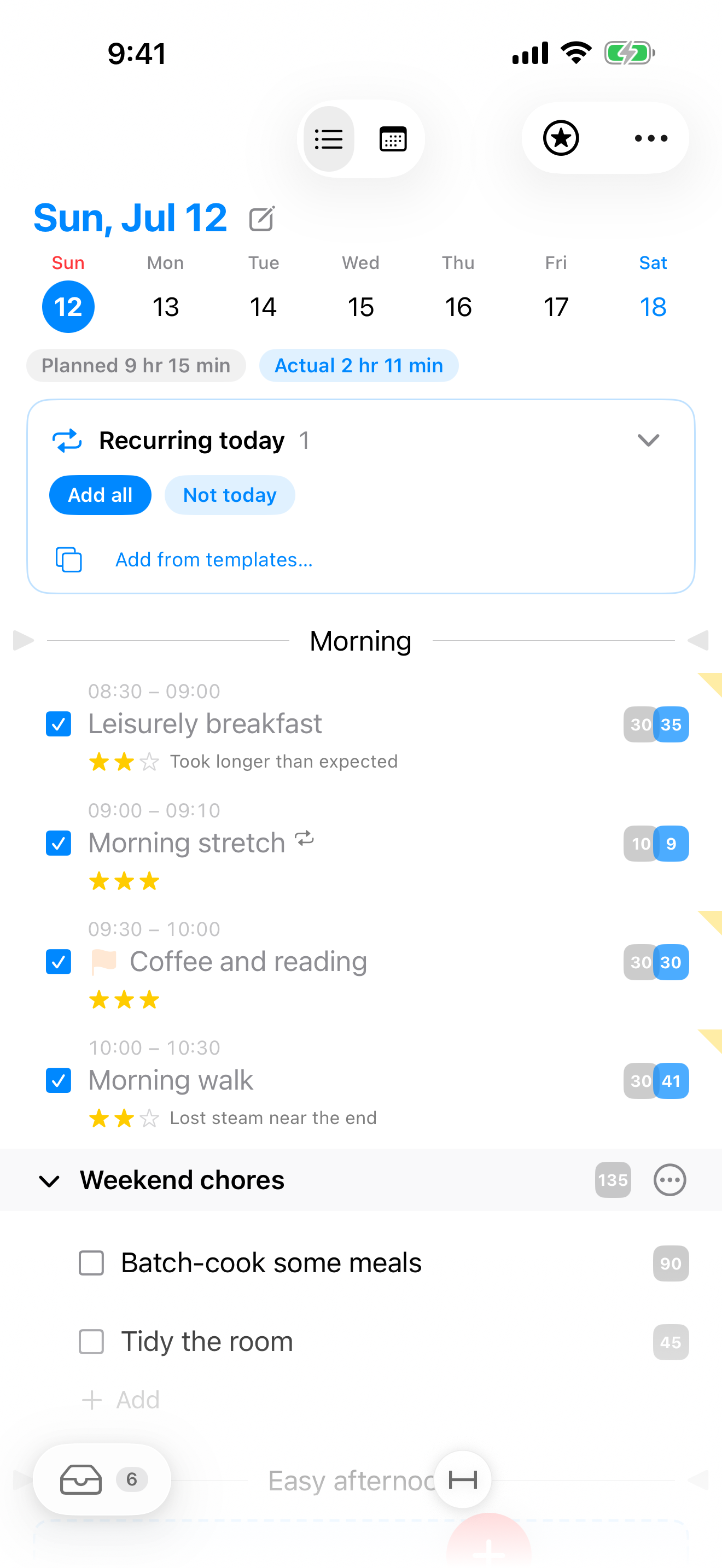
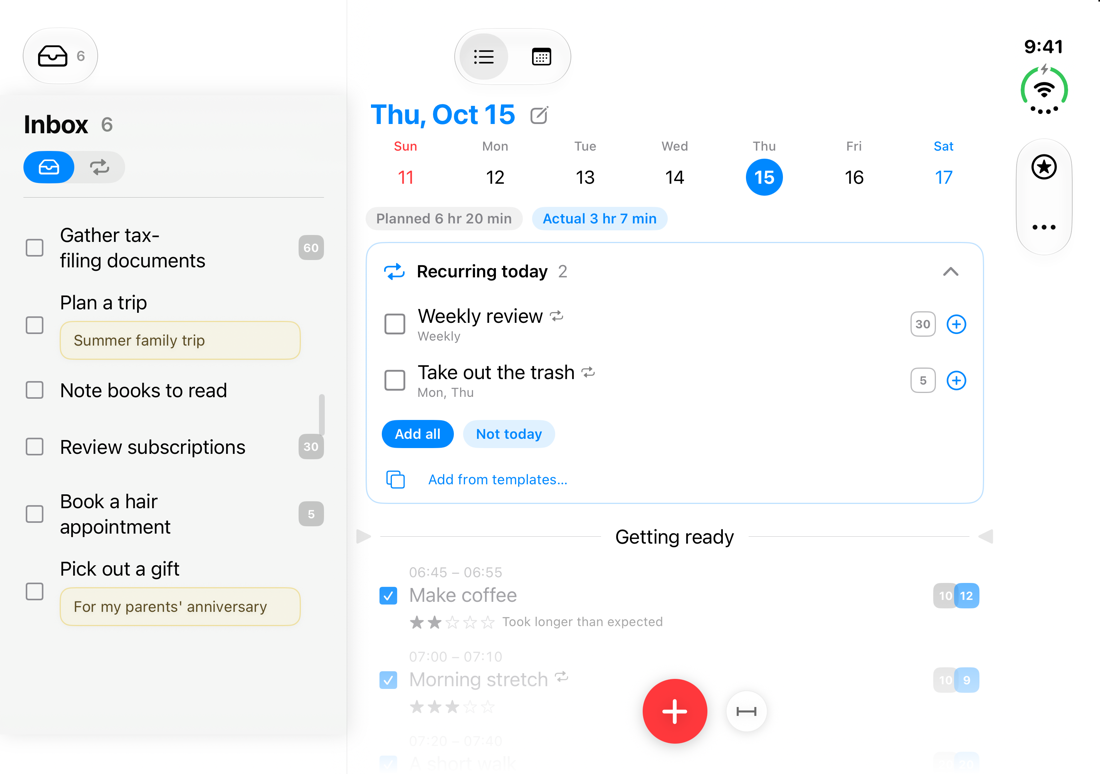
やることに「かかる時間」の目盛りを。実行すると実際の時間が自動で残り、グレー(見積もり)と青(実績)を見比べるうちに、計画が現実に近づいていきます。付けるかどうかは自由——付けなくても、快適に使えます。
「30分で終わるはず」が、
終わらないのはなぜだろう。
ToDo アプリは「何をやるか」は数えてくれます。でも「どれだけかかるか」は教えてくれません。Flash Log は、見積もりと実績のズレそのものを道具にしました。
数字が、教えてくれる。
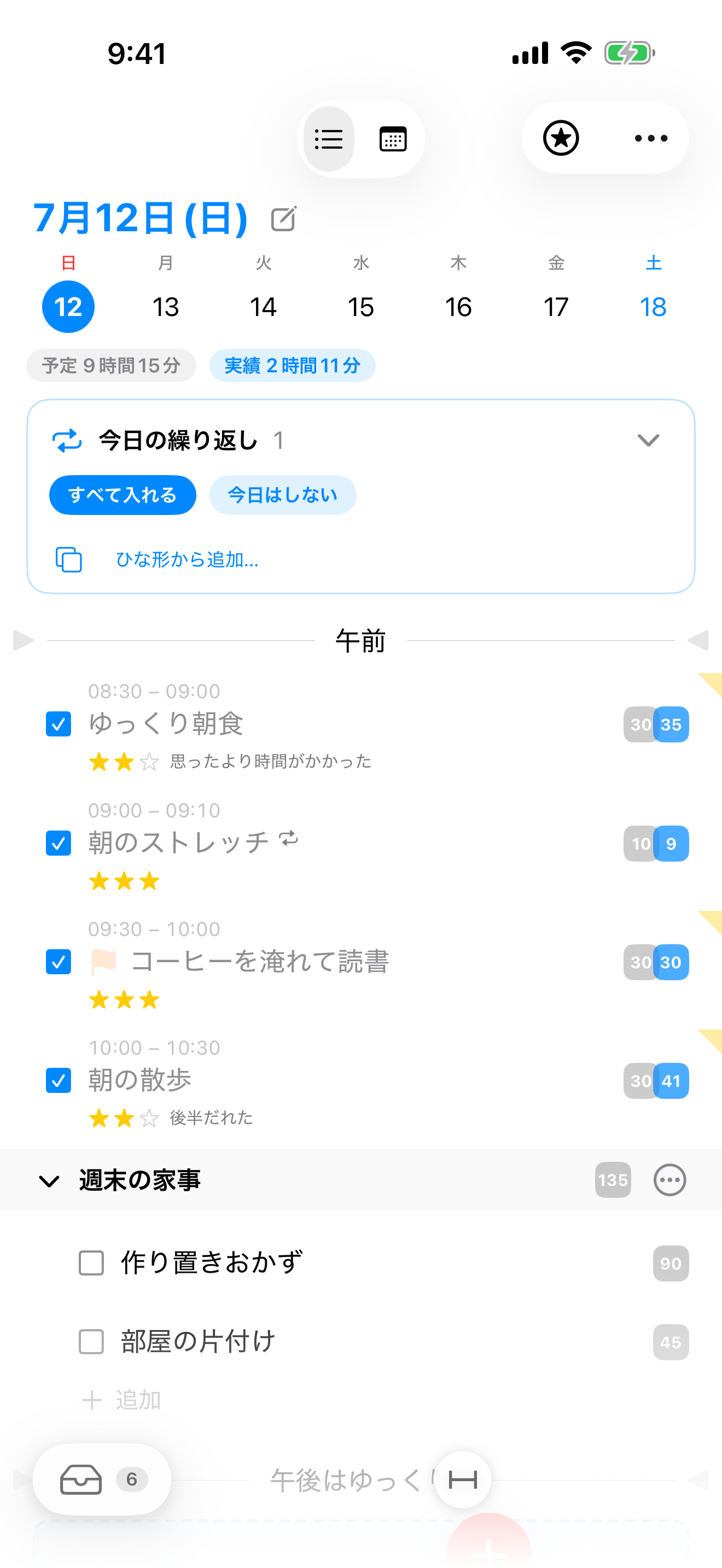
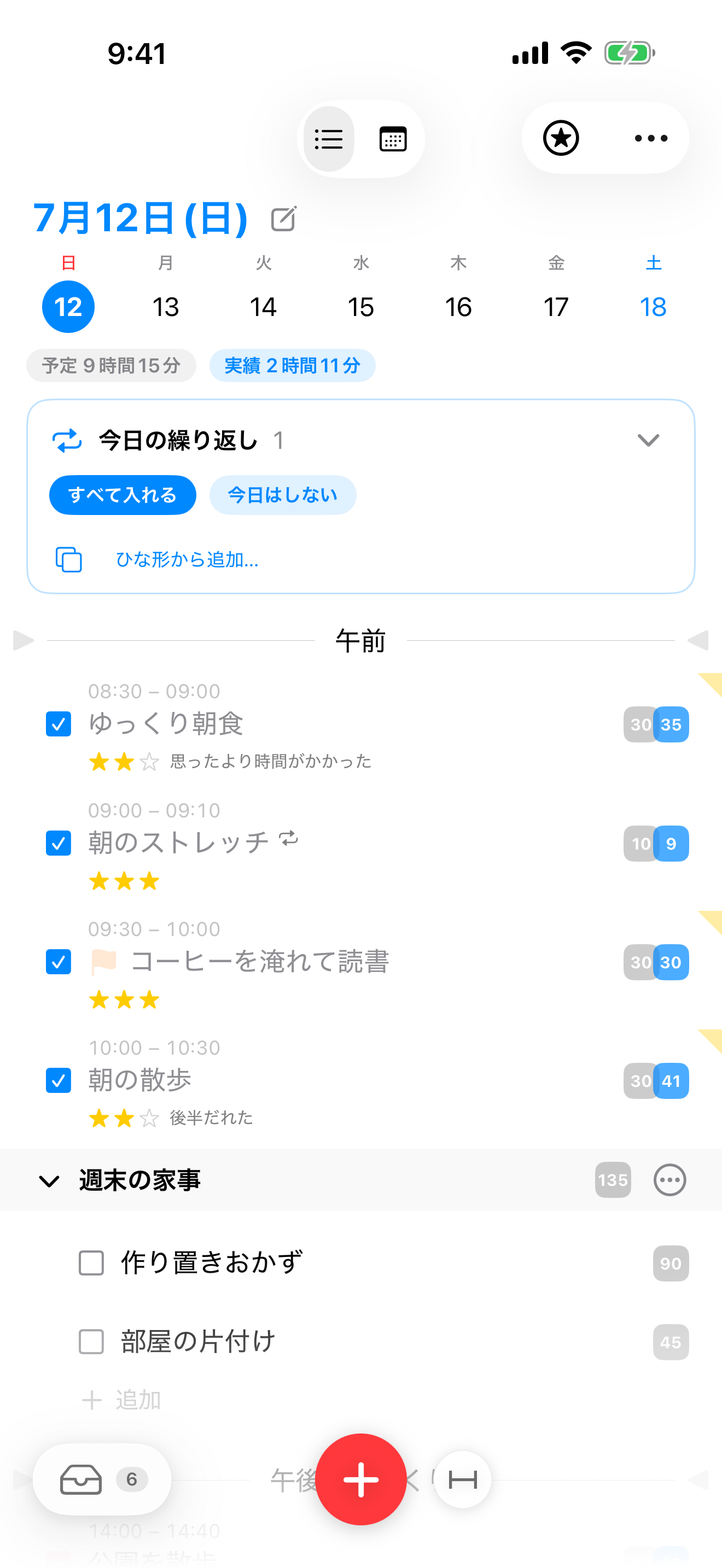
「30分のつもりが、41分だった」——見積もり(グレー)と実績(青)が同じ行に並ぶから、ズレが一目でわかります。見て、直して、また見積もる。この繰り返しが、時間感覚を鍛えます。
合計は日にもグループにも付きます。件数ではなく時間で今日を測るから、「今日はもう入らない」が計画の段階でわかる。詰め込みすぎに、ブレーキが利きます。
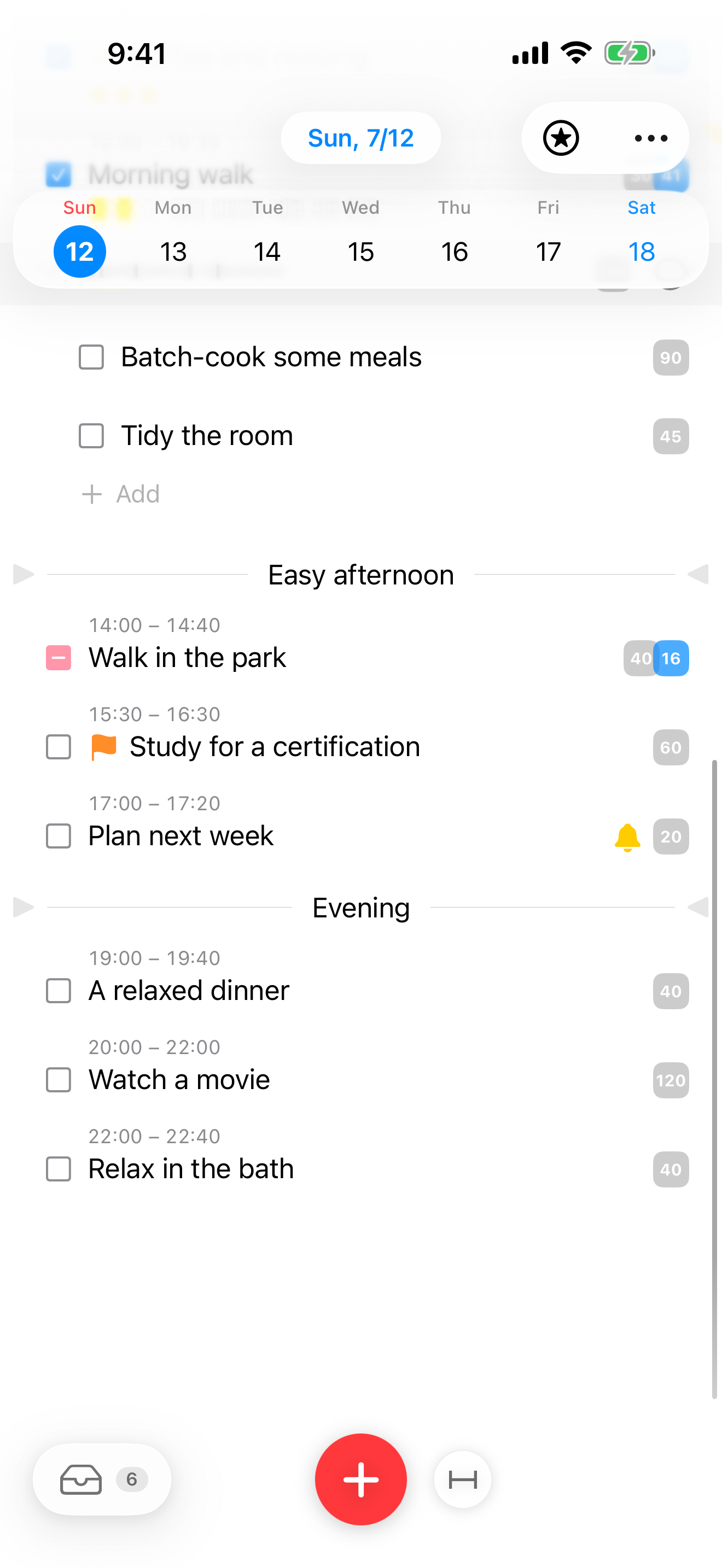
「時間の見せ方」は〈ゆるい・めやす・きっちり〉の3段階。区切り線に時刻を、グループに時間枠を与えれば、リストが時間割のようにも読めます。もちろん、ぜんぶ任意です。
実行は、1つずつ。
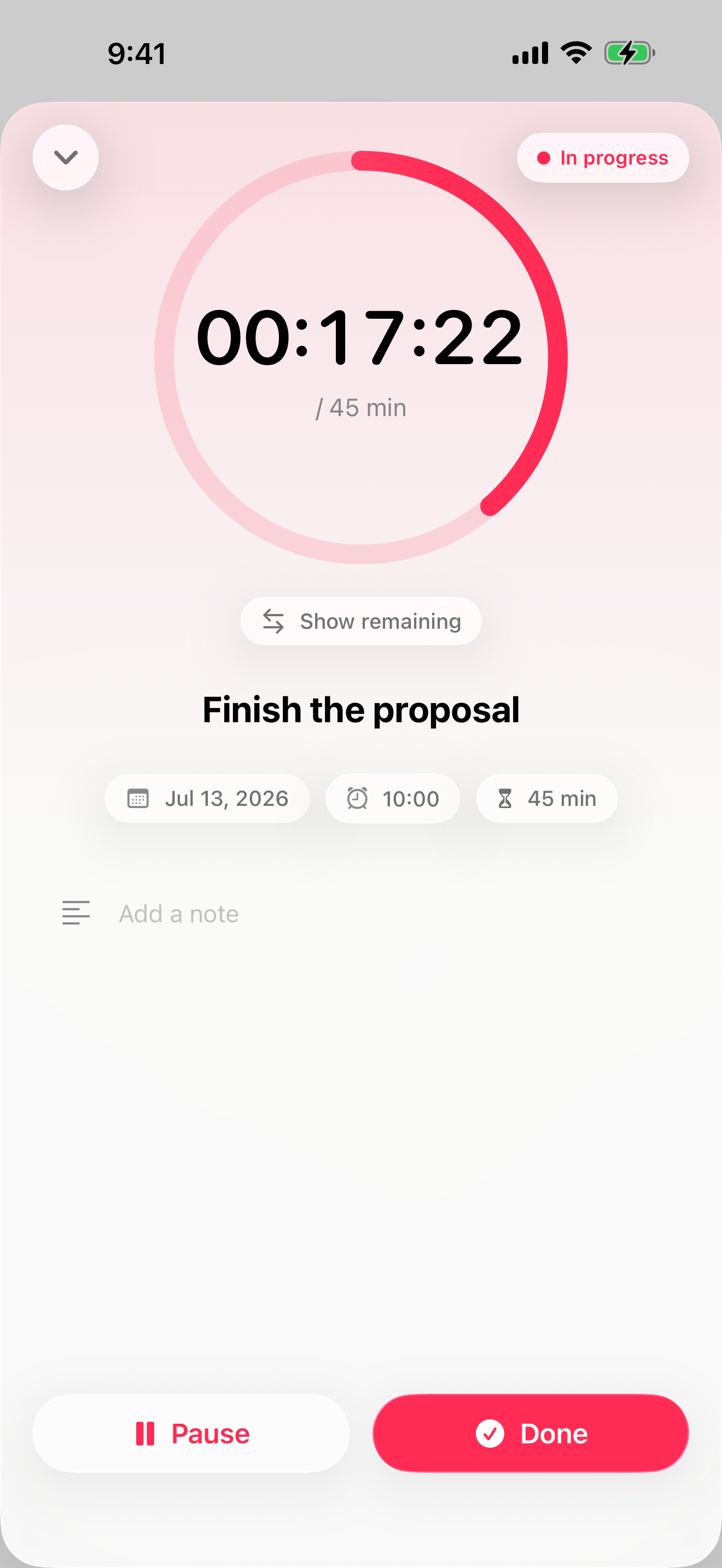
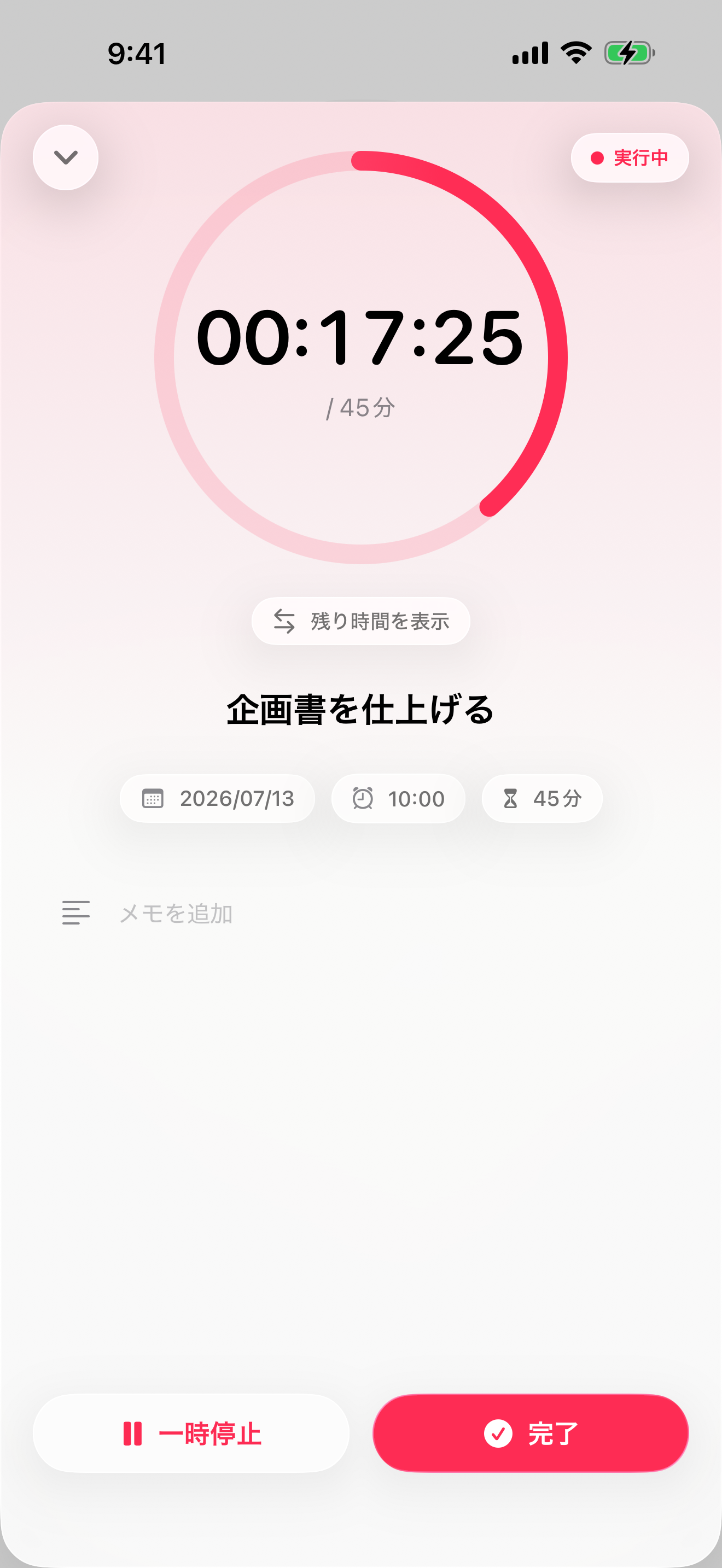
開始すると、そのやることだけの全画面に切り替わります。見えるのは目の前のひとつと時間だけ。今日の残りのやることに気を取られず、いまやるべきことに向き合えます。経過時間は静かに進み、記録はすべて自動です。
画面を閉じてもミニプレーヤー、Dynamic Island、ロック画面の Live Activity が「いま何をやっているか」を映し続けます。1つ完了すると、次のやることが「つぎ」として滑り込みます。
一日を、やった順に。
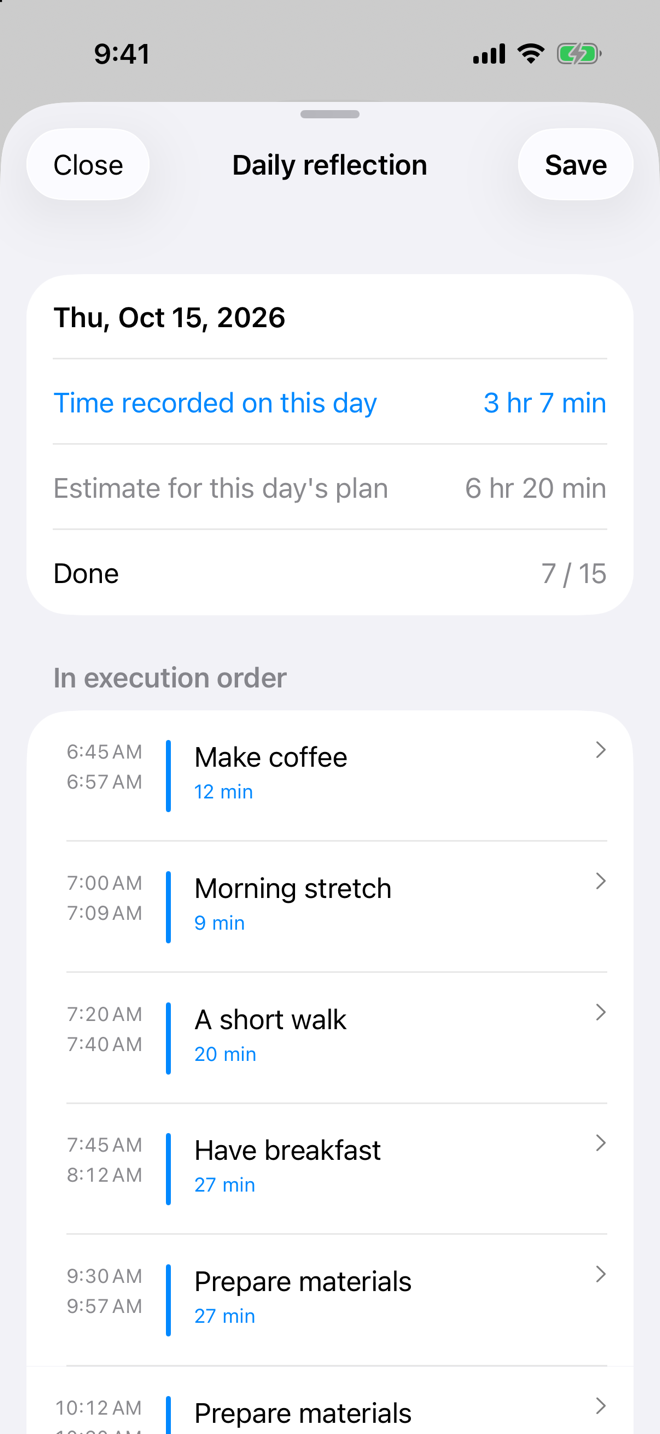
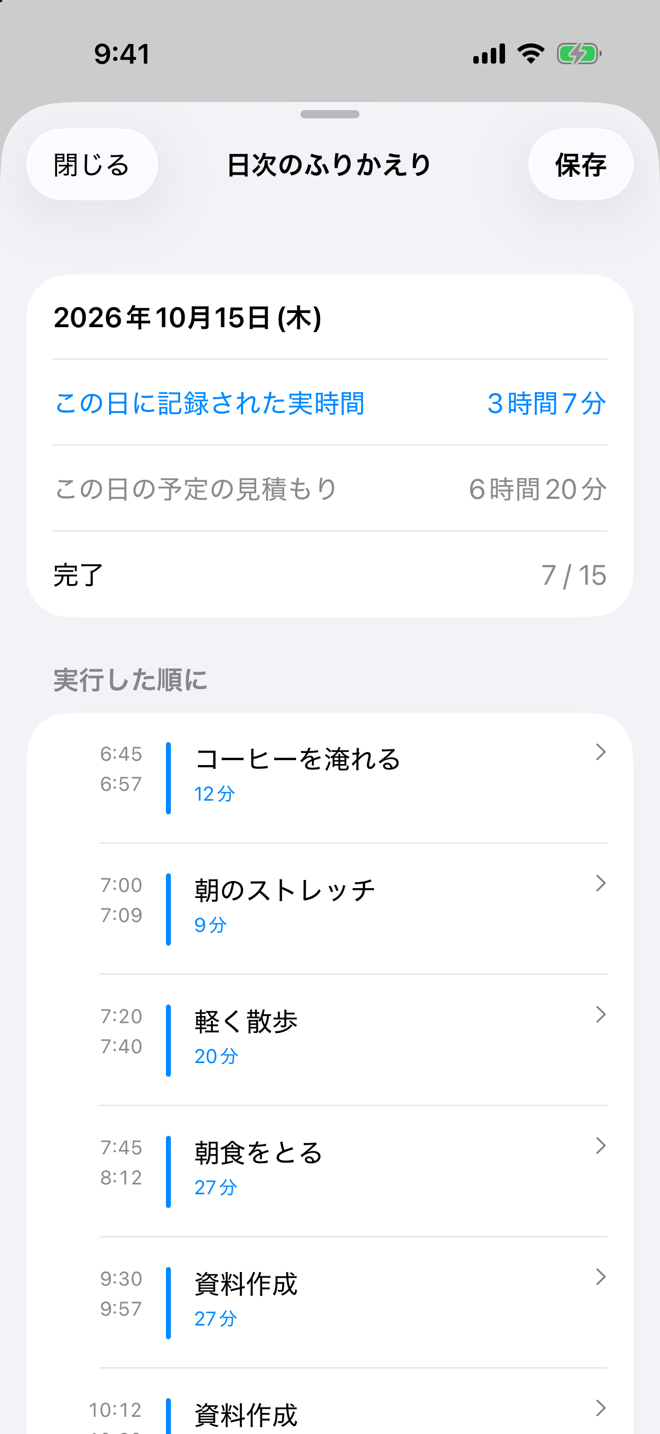
夜に「今日をふりかえる」を開くと、実行した順に、時刻と実績が並びます。予定に無かったことも、あとから足せます。割り込みが多かった日も、どこで手が止まり、どこで戻ったのかが見えてきます。
残ったやることは、別の日・インボックス・小さな一歩へ。今回は見送るのも自由です。この機能は、App Store のレビューでいただいた「やったことを時系列で見返したい」という声から生まれました。
閉じても、開いても。
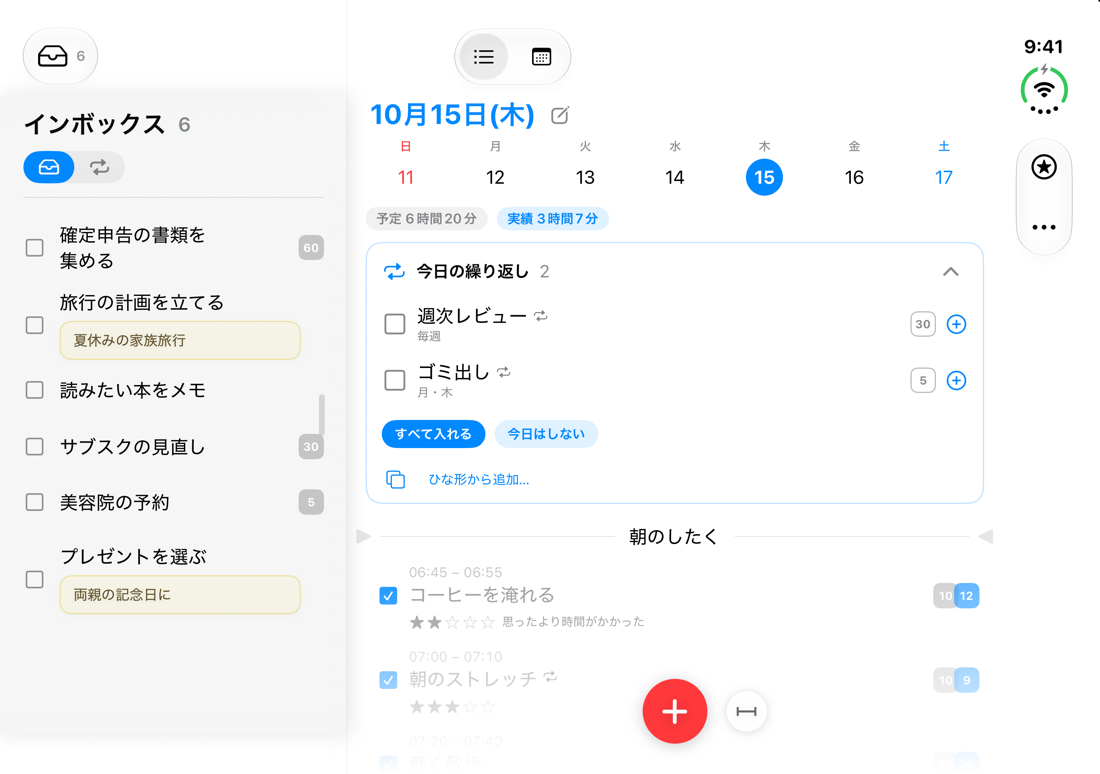
iPhone Duo では、閉じても開いても画面全体を使って表示します。閉じた画面では、右の列に並ぶ時刻とボタンを避けて、いつもの日一覧のまま。
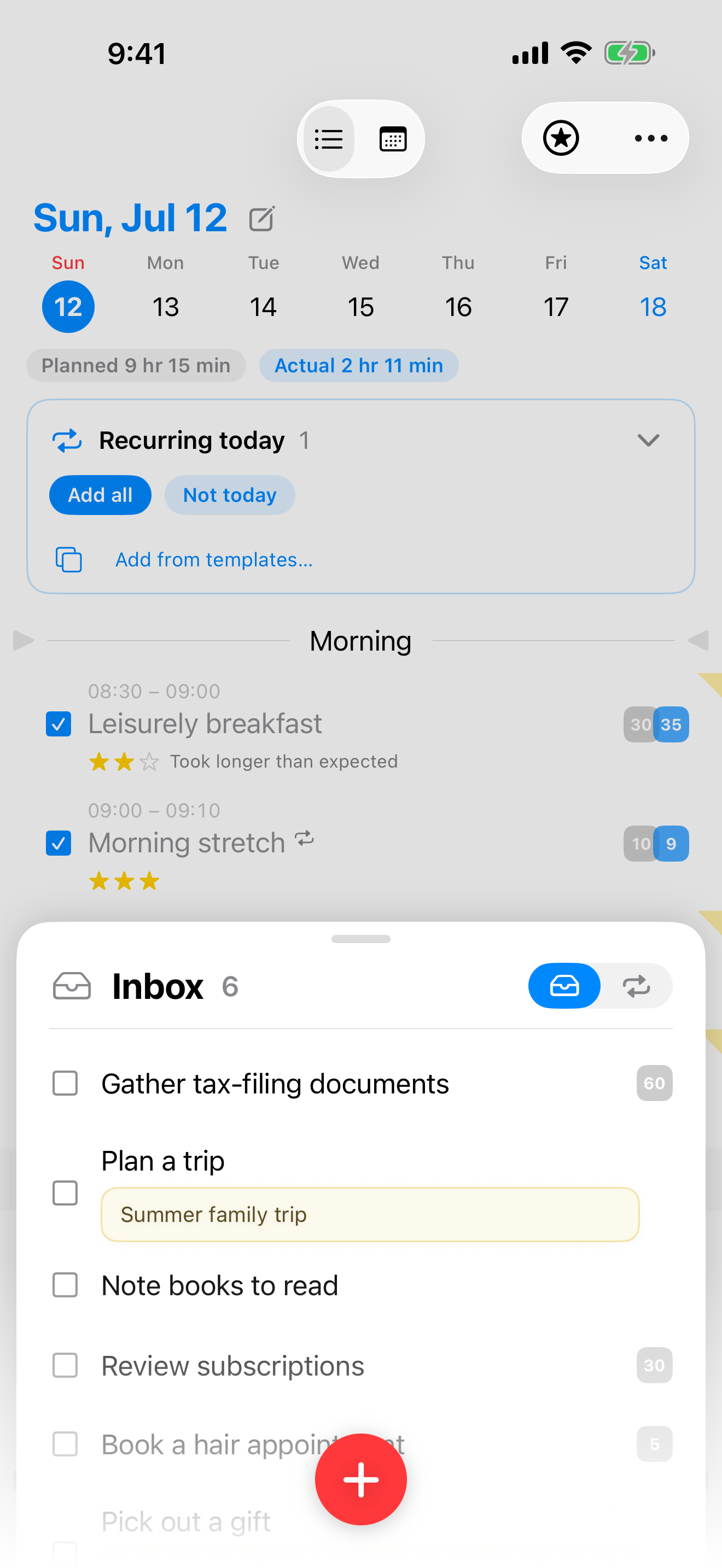
開いた広い画面では、日一覧とインボックスを横に並べて、あとでやることをドラッグで今日の予定へ。狭いときは、下から出るトレイに切り替わります。
ここで、少しだけ。
Flash Log の入口を、この場で少しだけ。⭐️で「今日のこれだけ」を選ぶ。赤い「+」で声で追加(Web上では再現です——本物は音声を端末の外に出しません)。行をタップで完了。最後に「今日をふりかえる」と、グレーと青が並びます。
ぜんぶ触らなくて、いいんです。気になったものだけ、どうぞ。
インボックス
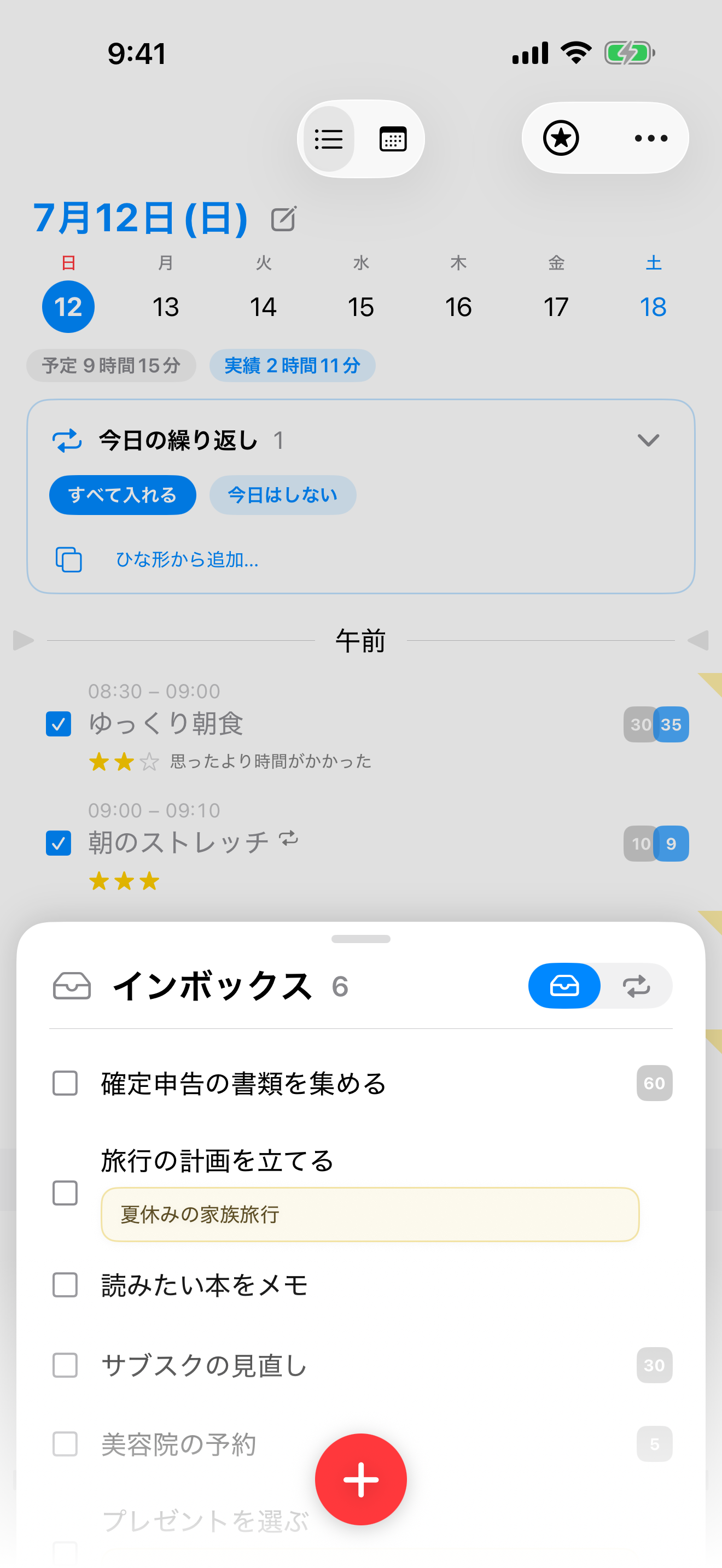
日付を決めるのは、あとでいい。下からすっと出るトレイに集めておいて、やる日が来たら今日へドラッグ。
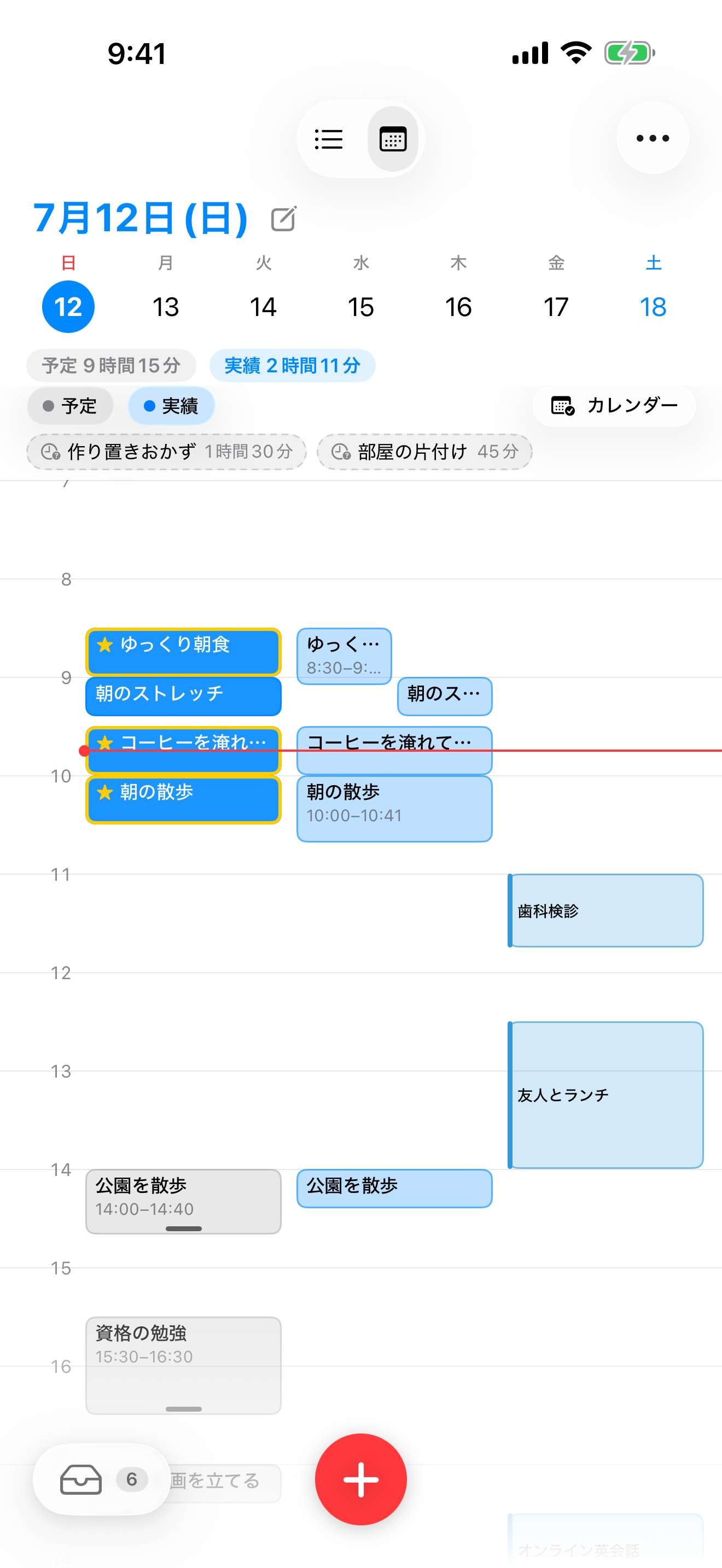
カレンダー重ね表示
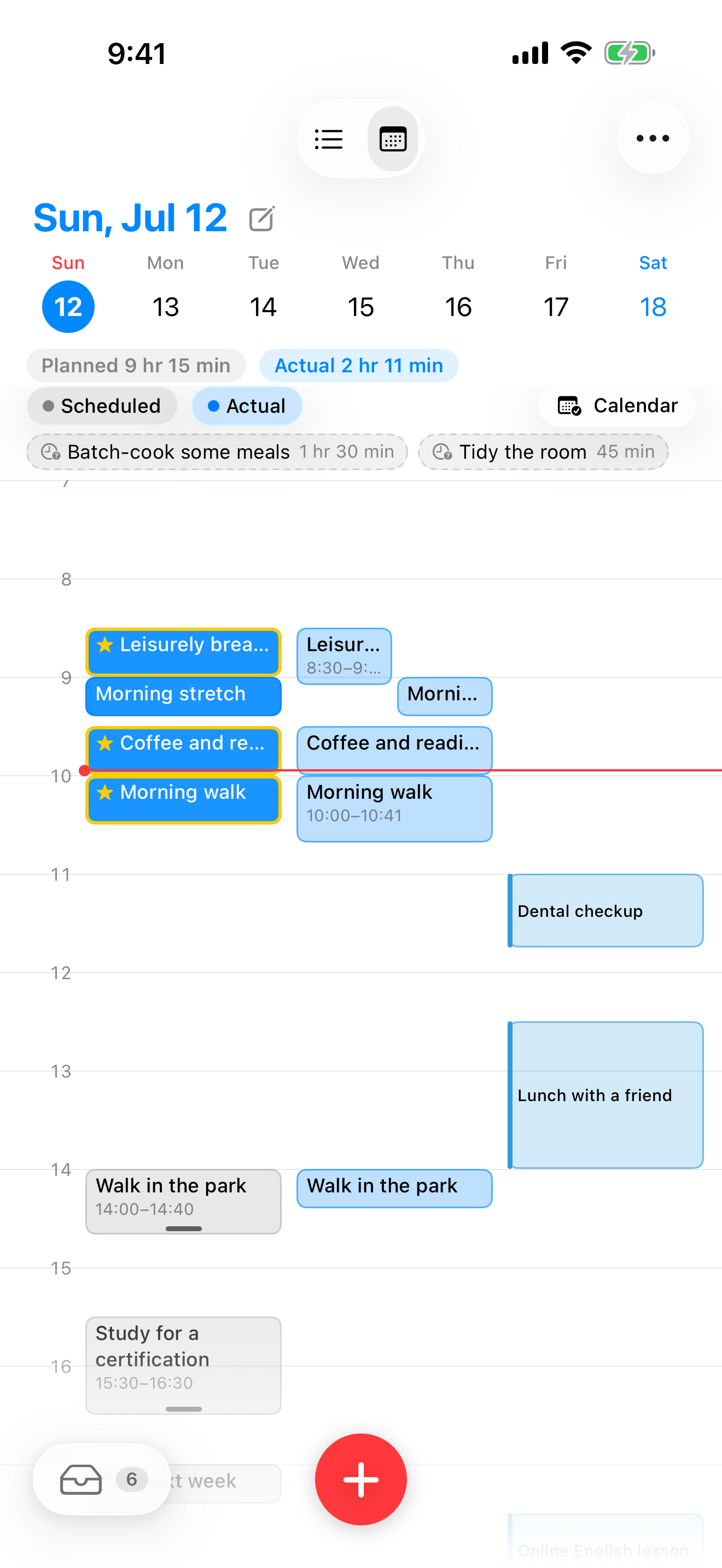
純正カレンダーの予定を読み取り専用で重ねて表示。さらに実際にかかった時間の帯(実績レーン)も並ぶので、「今日をどう過ごしたか」まで1画面でわかります。
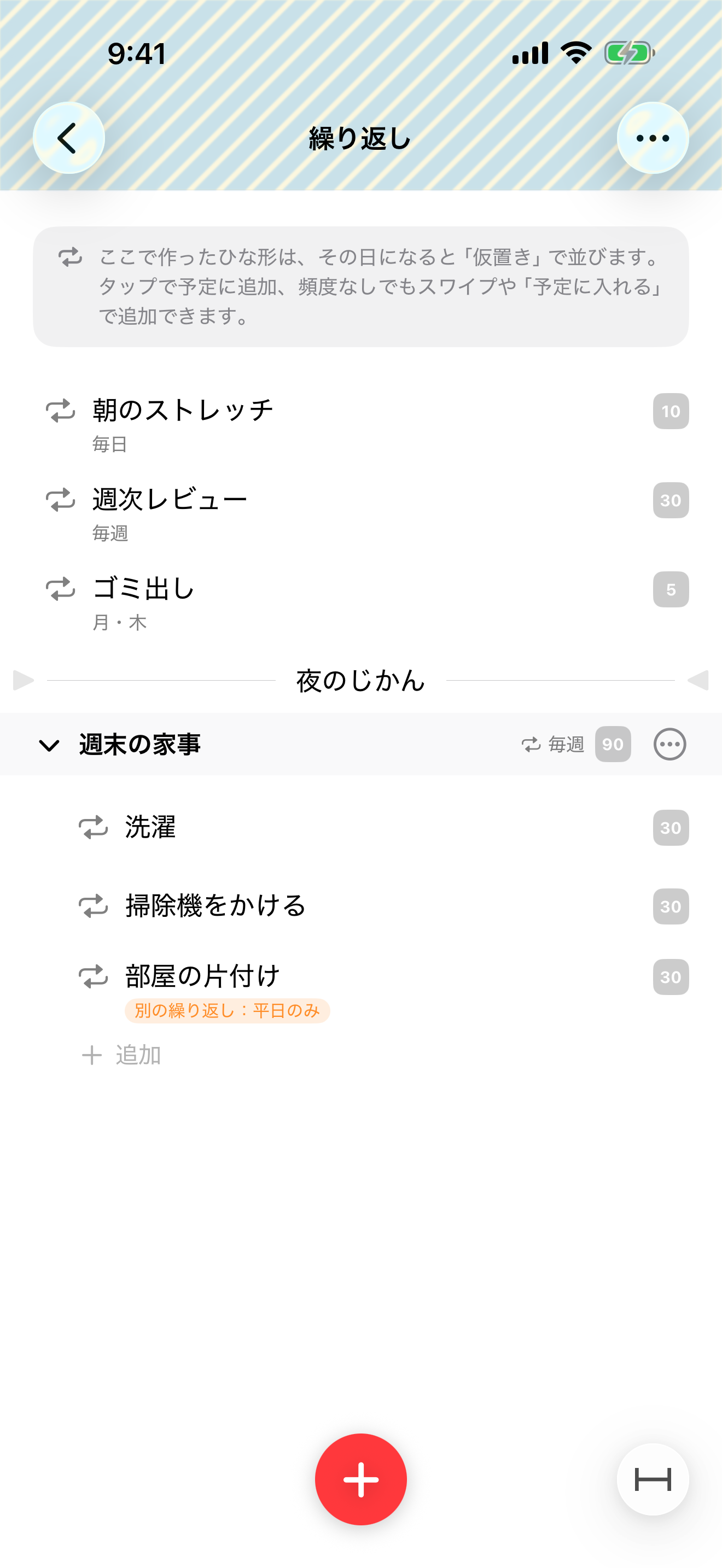
繰り返しは「仮置き」
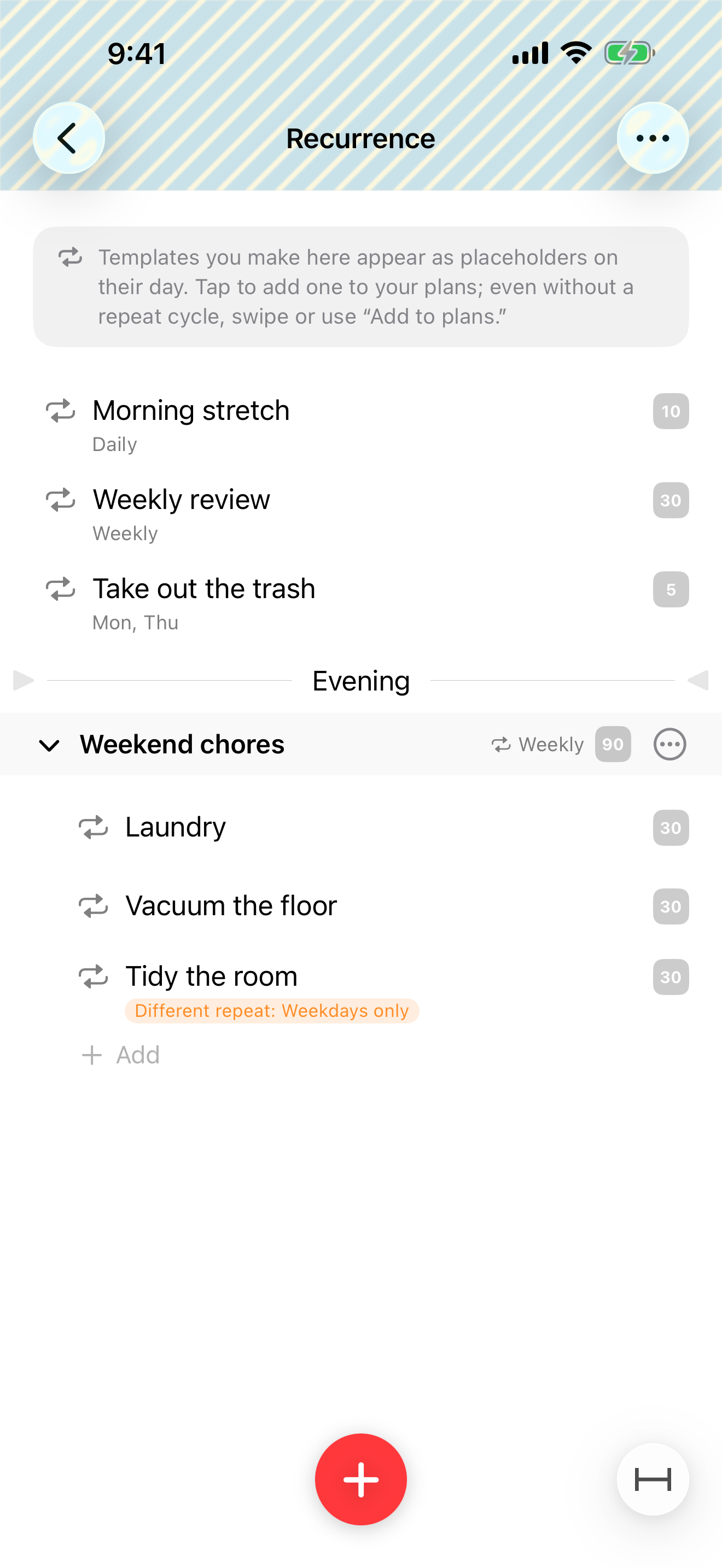
繰り返しのやることは淡い仮置きで現れて、やる日に選んだ分だけ実体になります。やらなかった日の分が溜まって責めてくることはありません。
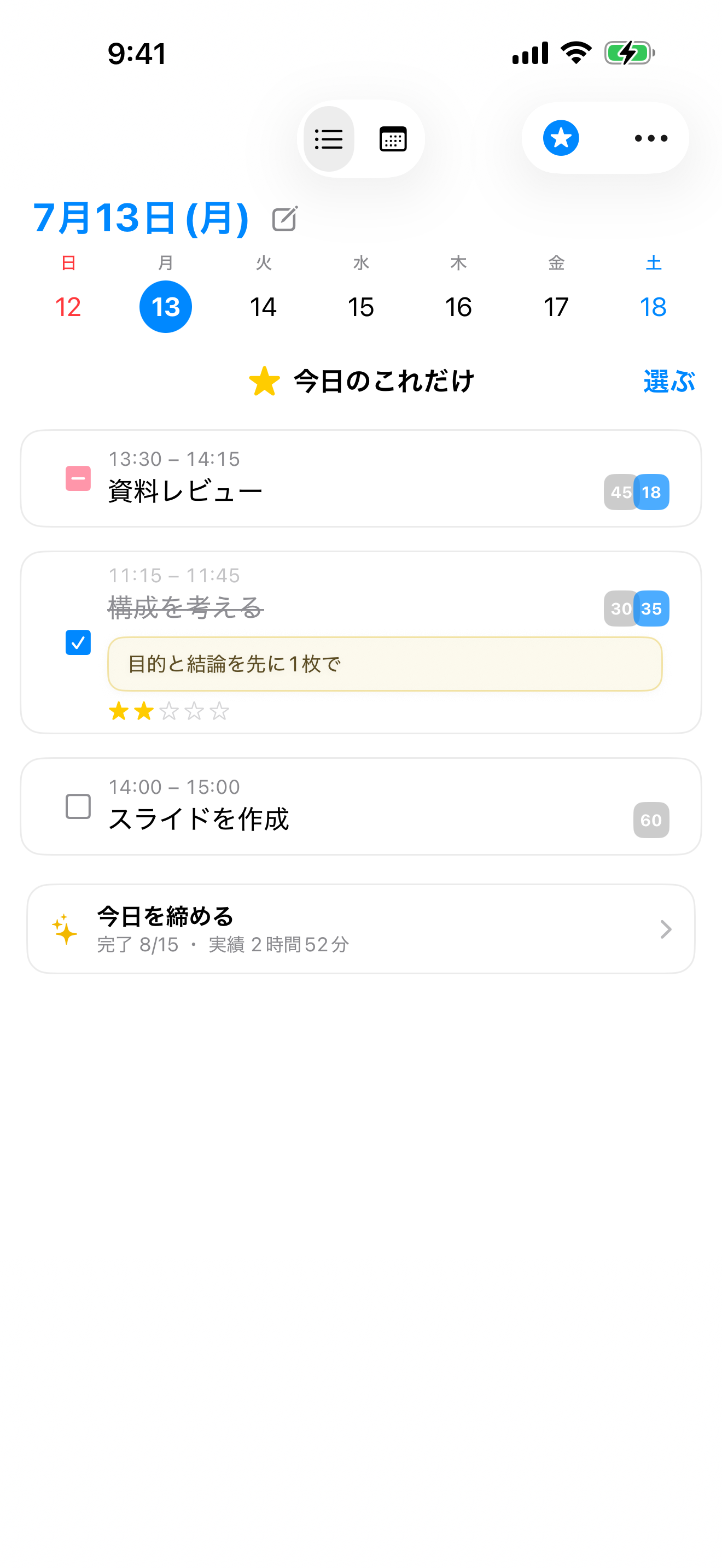
今日のこれだけ
絶対に今日やり遂げたい数個だけを⭐️で選ぶと、画面はそれだけに。大事なことを数個だけ決めて、上から順に——100年使われてきた仕事術(アイビー・リー・メソッド)を、ワンタップで。選択肢が減ると迷いが減り、最初の一歩が軽くなります。ウィジェットにも出せるので、やるべき数個がいつでも目に入ります。
手首に、今日がある。
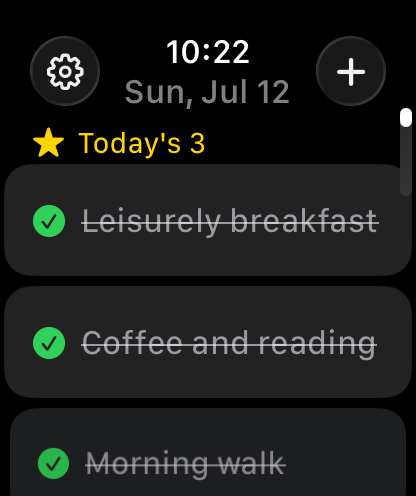
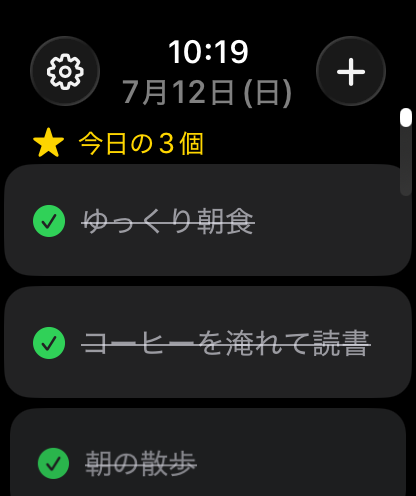
独立した Apple Watch アプリで、手首だけで今日のやることを確かめて、開始・一時停止・完了。名前だけのクイック追加や、前後の日への移動もできます。
実行中は文字盤のコンプリケーションに残り時間がタイマーのように進み、Digital Crown を回せば見積もりも合わせられます。iPhone はポケットの中のままで。
毎日の道具として、細部まで。
ウィジェット
ホーム画面とロック画面に今日と進捗。開始・一時停止・完了はウィジェットの上で。残り時間が円で減るリングや、StandBy の「いまの1つ」も。
Apple Watch
独立した Watch アプリ。手首だけで確認・開始・完了・クイック追加。文字盤には実行中の残り時間が進み続けます。
リマインダー
開始時刻に連動した通知。「5分前」「終了予定時刻」も。時刻を変えれば通知もついてきます。
グループと区切り線
朝・仕事・夜。時間帯の区切り線とグループで、今日の流れを1本のリストに。
ドラッグ & ドロップ
並べ替えも、グループへの出し入れも、インボックスとの行き来も、ぜんぶ指先で。
iCloud 同期
オプトイン(既定オフ)。オンにすれば、あなたの iCloud だけを通って iPhone・iPad・Mac がそろいます。
Siri · ショートカット
「Flash Log でやることを追加」。追加・開始・完了・経過時間の読み上げまで声で。
Spotlight
iPhone の検索から、やることに直接ジャンプ。アプリを開く前に見つかります。
iPhone · iPad · Mac
1つのアプリが iPhone・iPhone Duo・iPad・Mac で。Mac では複数ウインドウにも対応。
声で追加
「+」を長押しして話すだけ。「牛乳を買う 15分」は名前と見積もりに、「30分後に散歩」は開始時刻つきで置かれます。認識は端末の中で完結。
日めくりメモとふりかえり
日付にその日への一枚メモ。完了には星とひとことを添えて、夜は「今日をふりかえる」で、やった順に一日を見返せます。
書き出し・取り込み
すべてのデータを JSON で書き出し・取り込み。バックアップも、別端末への引っ越しも自由です。
毎日の場面から、少しずつ。
開発者からの活用案と、レビューでいただいた声から。
あなたの記録は、あなたのもの。
時間の記録は、いちばん個人的なデータだと思っています。
アカウント不要
登録もログインもありません。ダウンロードしたら、すぐ使えます。
トラッキングなし
広告も解析 SDK もありません。開発者すら、あなたの記録を見られません。
データは端末の中に
保存先はあなたの端末。「声で追加」の音声認識も端末の中だけで動きます。同期を選んでも、通るのはあなたの iCloud だけです。
自分のためのアプリでした。
やることの一覧は、放っておくと無限に増えていきます。だから Flash Log は、やることを日付に置いて、「今日のぶん」だけを見るようにしました。
そして私は、見積もりが下手な人間でした。「30分で終わる」と思った作業に2時間かけては、計画ごと崩れる。既存のアプリは「何をやるか」を並べるのは得意でも、自分の30分がどれくらい当てにならないかは教えてくれませんでした。見積もりと実績が並ぶと、不思議と直ります。
このアプリの中心にあるのは、やることを「実行する」体験です。1つずつ開始して、全画面とミニプレーヤーで、いま目の前のことだけに向き合う。頭の負担を減らして、手が動く状態に戻る——そのための道具です。GTD のインボックスとしても使えますし、タイムボクシングやタスクシュートのような時間術(時間で区切って進めるやり方)も、シンプルな画面のままなぞれます。
正直に言うと、これは自分のために作ったアプリです。こういうアプリをずっと探して、見つからなかったので、自分で作りました。同じものを探していた誰かに届いたら、うれしいです。
— Shinichi Nambu(Flash Log 開発者)