PowerPointファイルのテーマを、
Macで作って、直す。
Mac 版 PowerPoint に無い「テーマフォントを作る画面」を足します。資料のフォントと言語を検査し、元のファイルを一切変えずに、直した写しを書き出します。
Deckroom 1.1を公開しました。
2026年9月17日リリース。Mac App Storeから入手・更新できます。1.1の新機能を見る
1.1 · Mac App Storeで配信中
整えて、次の資料へ。
テーマを作るだけでなく、資料を揃え、共有前に確かめ、テンプレートとして再利用する。1.1では、Macでの資料づくりをもう一歩進めます。
1.1では、テンプレートの管理と資料の整備が広がりました。掲載画像は現在配信中の1.1の画面で、内容はすべて公開用の合成サンプルです。
よく使うテンプレートを、探しやすく。
PowerPoint・Word・ExcelのテンプレートとOfficeテーマを、見本画像付きのライブラリへ。検索・お気に入り・種類別表示で見つけ、複製・改名・コピー書き出しで次の仕事に使えます。PowerPointテンプレート(.potx / .potm)の検査と修復にも対応します。
テーマフォントと配色を作る機能は、引き続き利用できます。ブランドに合わせた組み合わせをMacで用意し、PowerPoint自身のメニューから使います。
寄せ集めた資料に、ひとつの基準を。
使われていないスライドマスターを削除し、複数のマスターを統合。統合先のレイアウトは、スライドごとに選び直せます。すべてのマスターに同じテーマを当てたり、選んだ非表示スライドをスライドショーへ戻したりできます。
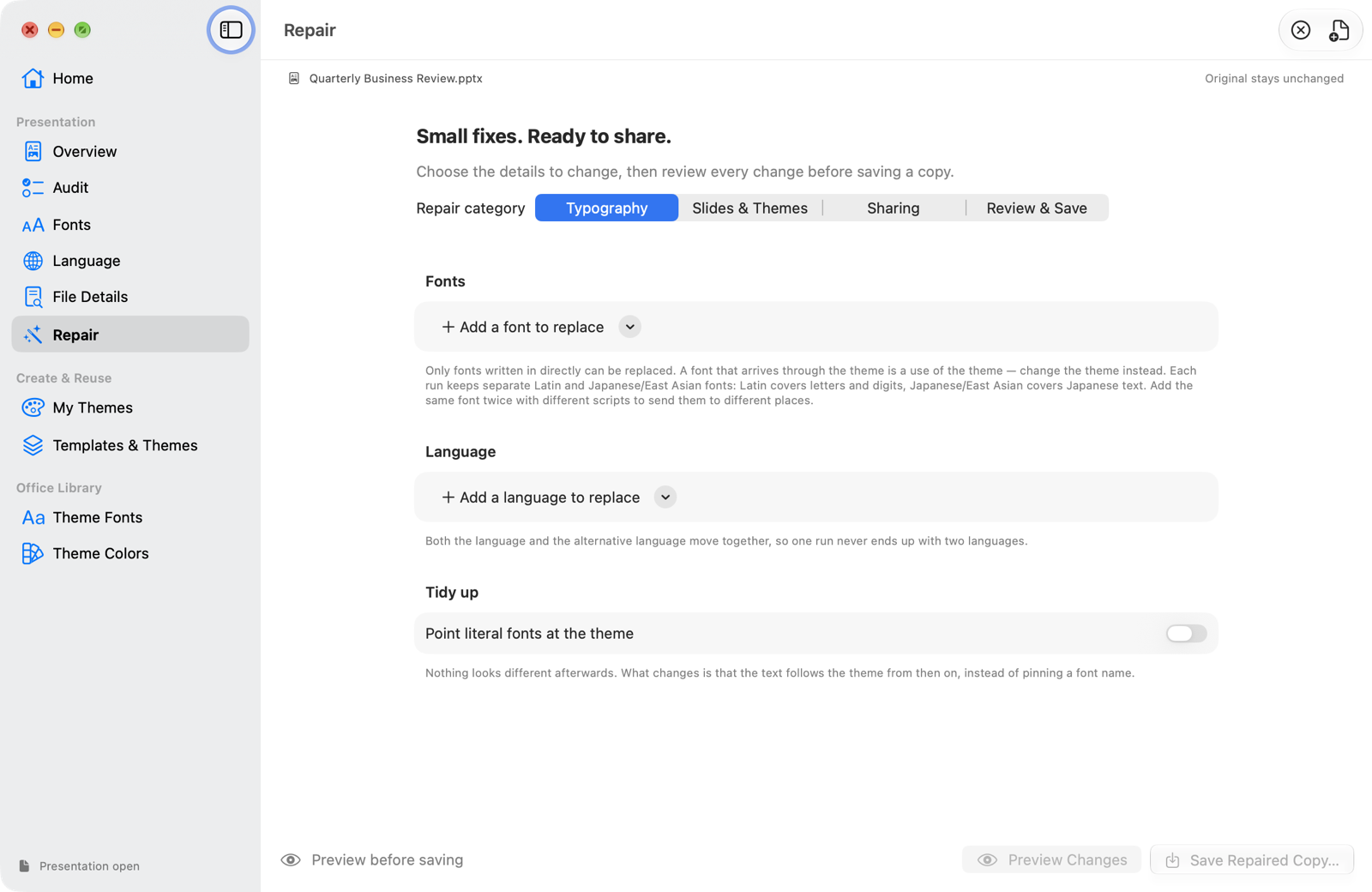
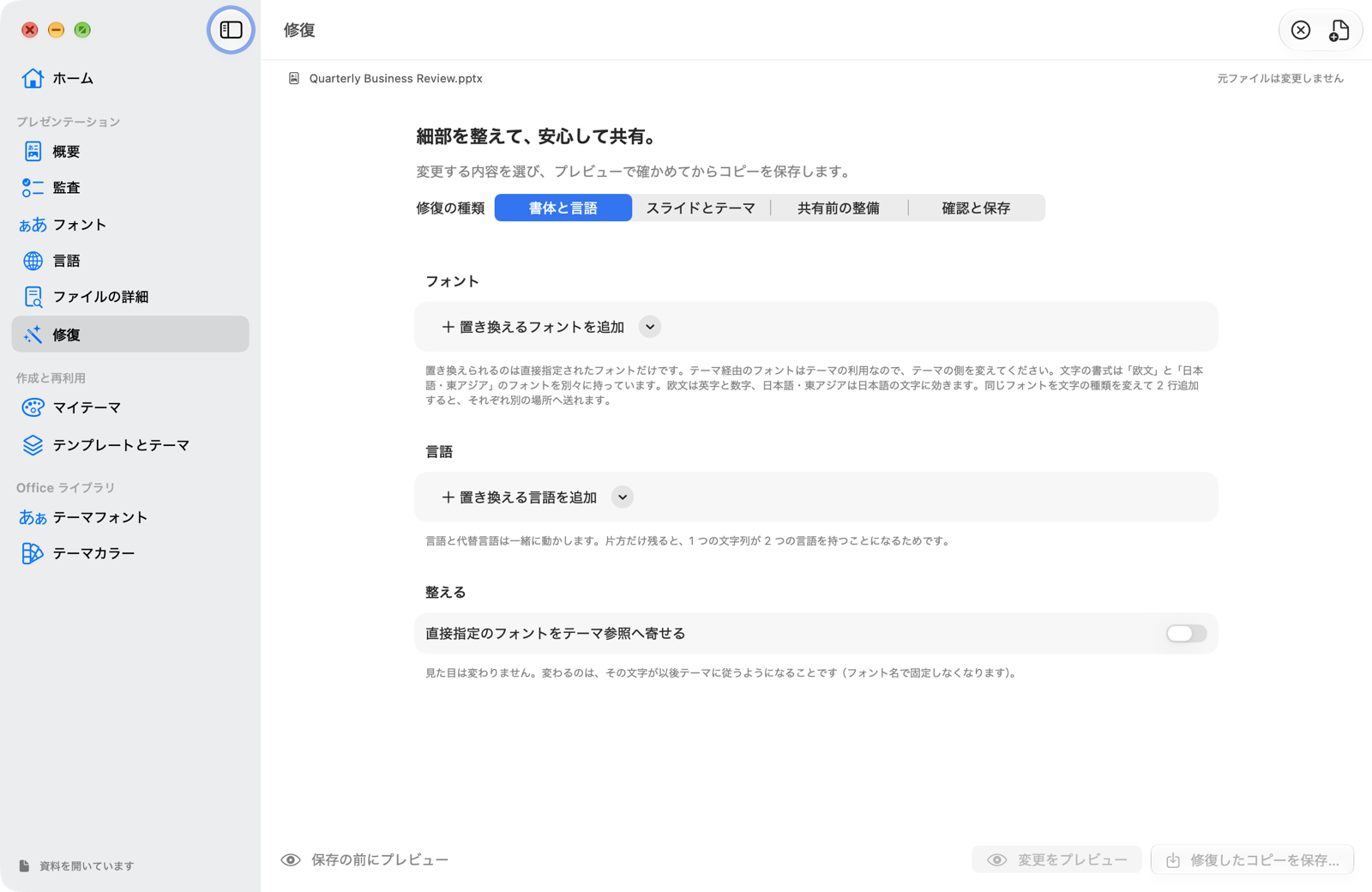
直接指定のフォントを「テーマの見出し」「テーマの本文」へ置き換え、以後はテーマに従わせます。欧文・日本語・複雑な文字体系で対象を絞れ、グラフの題名・軸・データラベルと、図形・テキストボックスの既定フォントも置き換えの対象になります。
共有する前に、ファイルの中まで確認。
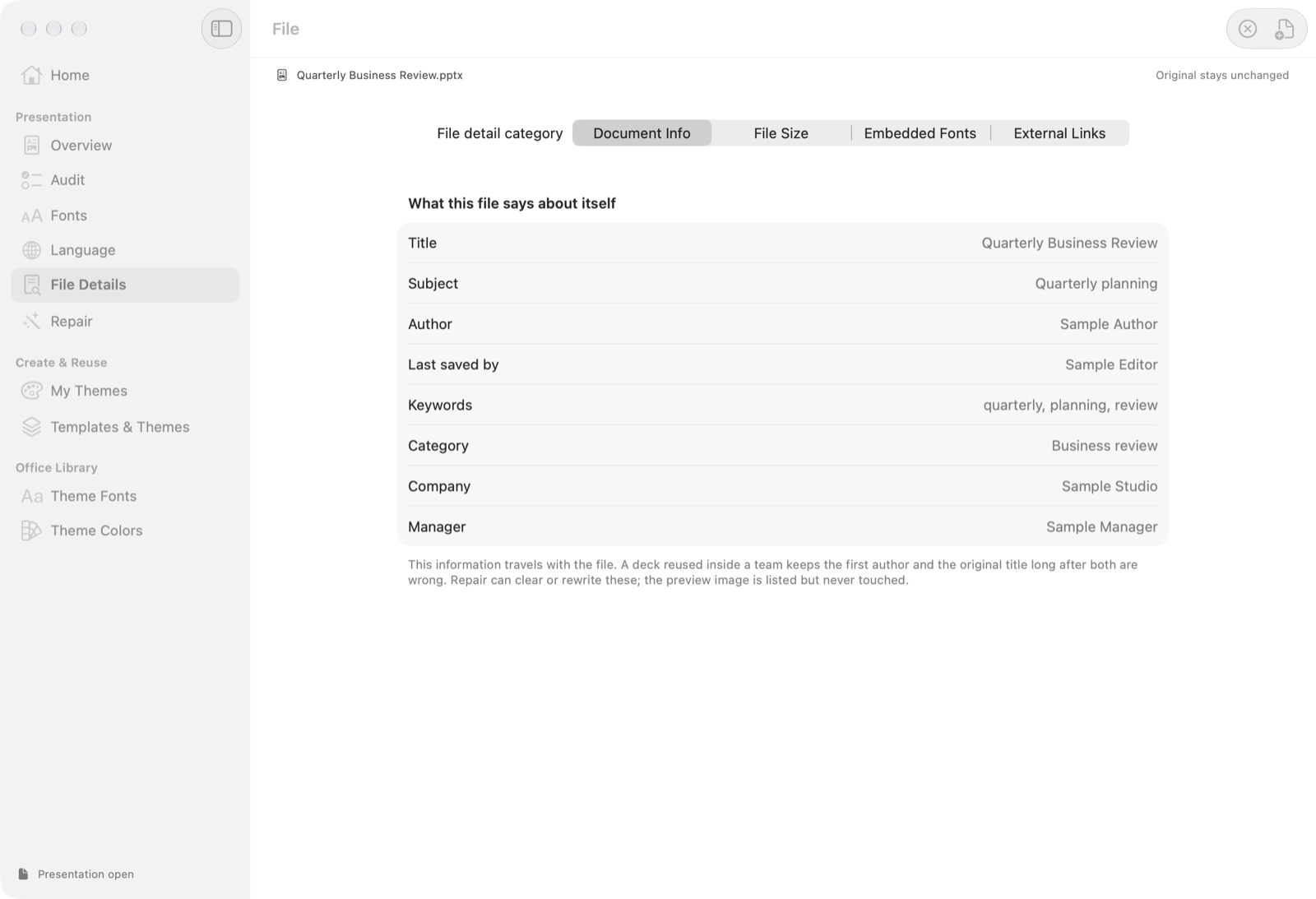
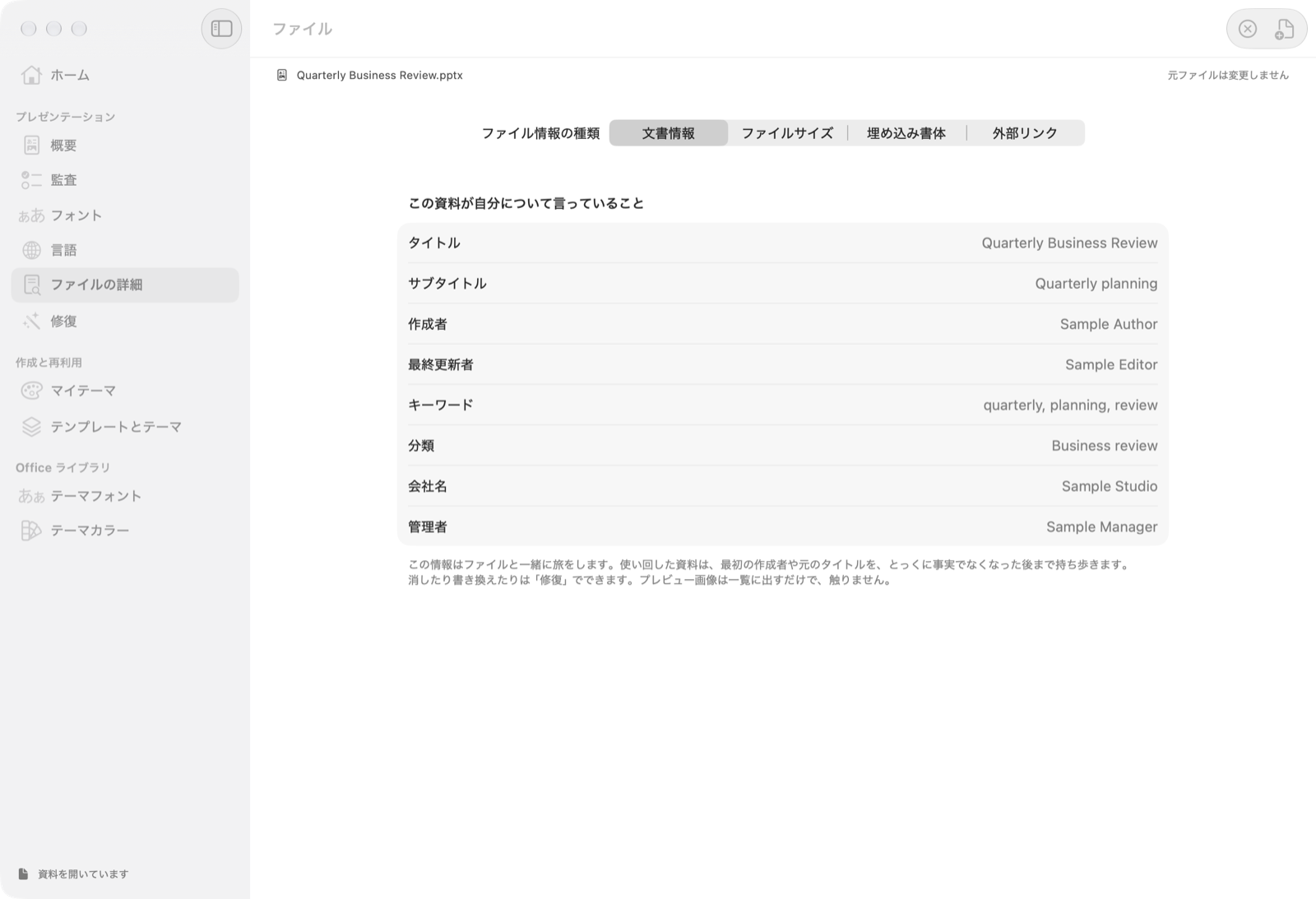
作成者・会社名などの文書情報、ファイル容量の内訳、埋め込みフォント、ファイルの外を指すリンクを確認できます。作成者・最終更新者・会社名・管理者をまとめて消し、題名などを書き換えたり、リンク先が移ったExcelグラフの参照を貼り直したりして、コピーを保存できます。
ホームと目的別の修復画面を追加し、修復の行を削除するとアプリが終了する不具合も修正しました。1.1の使い方と注意点はサポートページで案内しています。
01PowerPoint に無い画面を、Mac に足す
Deckroom は、PowerPoint のテーマ・フォント・言語を扱う macOS ネイティブのユーティリティです。
Windows 版の PowerPoint には「テーマのフォントパターンを新しく作る」画面があります。Mac 版にはありません。だから Mac だけで仕事をしていると、会社のブランドフォントを組んだテーマフォントを自分では作れず、誰かが Windows で作ったものを配ってもらうしかありませんでした。
Deckroom はその画面を Mac に足します。作ったテーマフォント・テーマカラーは Office のテーマフォルダーへ書き込まれ、PowerPoint 自身のメニューにそのまま現れます。Deckroom を開いたまま作業する必要はありません。
02できること
テーマフォントを作る
見出しと本文に、欧文・日本語・複雑文字のフォントを割り当てて名前を付けます。PowerPoint のフォントメニューに並びます。
テーマカラーを作る
12 のスロットを編集します。Accent 1 から補色・類似色・三色配色で残りを起こす補助つき。
資料を検査する
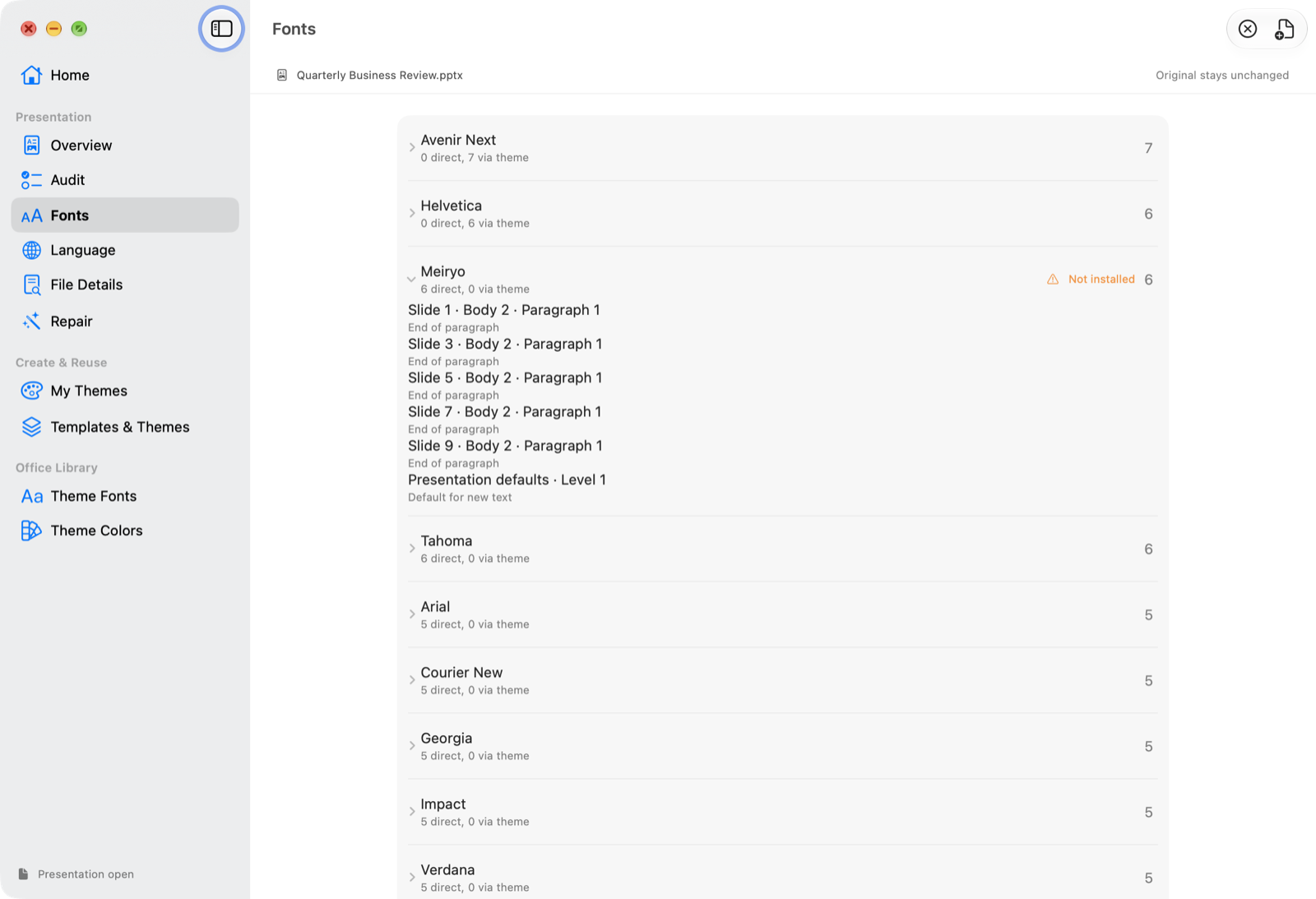
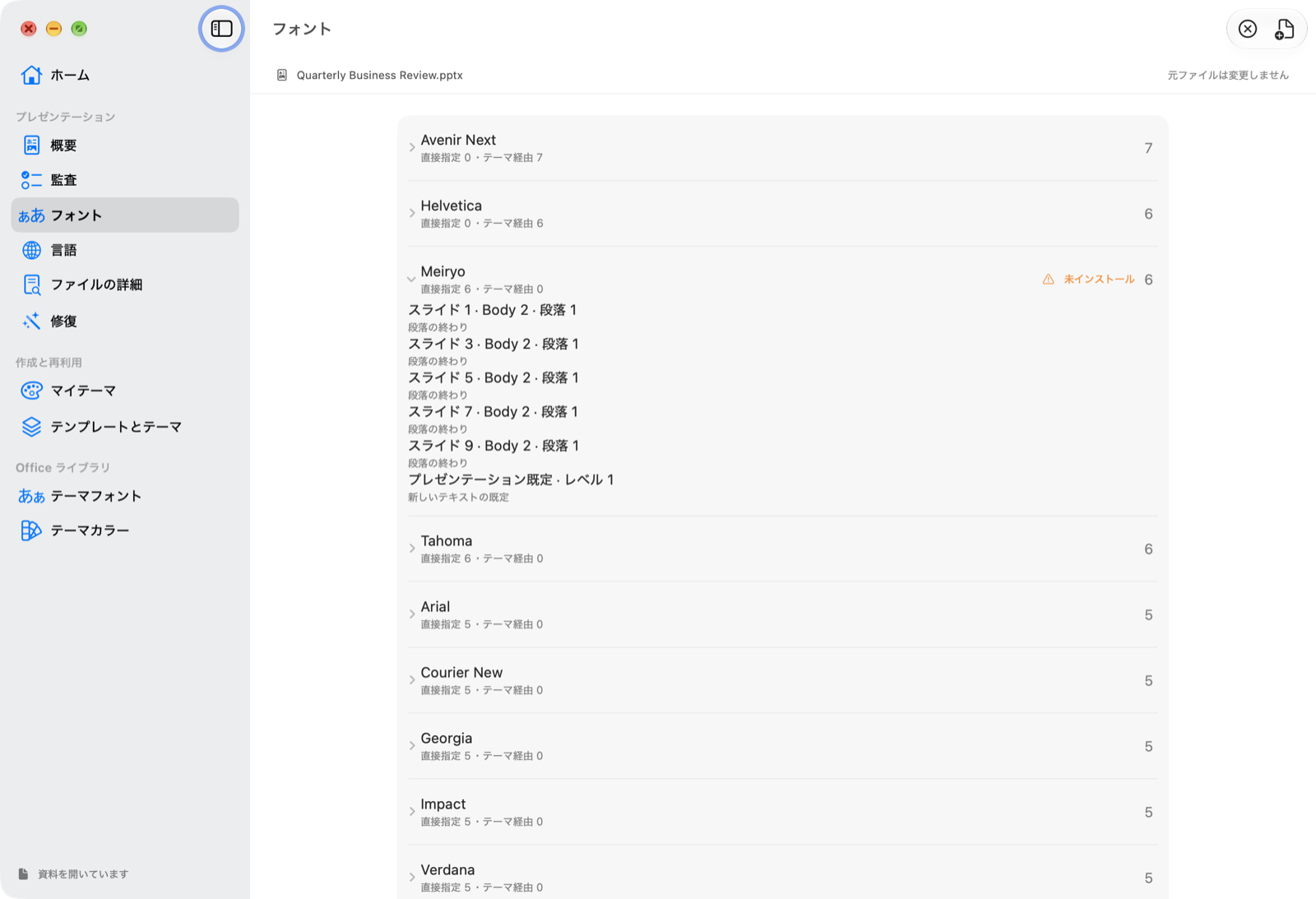
どのフォントがどこで使われているか。テーマ経由か、手で書かれたか。入っていないフォントはどれか。行を開けば場所まで辿れます。
直した写しを書き出す
フォントの置き換え・言語の一括変更・テーマの差し替え・テーマへの寄せ。プレビューしてから、別名で保存します。
03元のファイルは、変えません
Deckroom は開いた資料に書き戻しません。修復は必ず別名の写しです。上書きはアプリの内部で拒否されます。
ふつうの変換ツールは、読み込んで、解釈して、書き出し直します。その過程で知らない要素は落ちます。Deckroom は書き換える数バイトだけを差し替え、触っていない部分は圧縮されたまま写します。だから写真もアニメーションも埋め込みオブジェクトも、元のまま残ります。
Office のテーマフォルダーへ書き込むときも、既存ファイルのバックアップを取り、内容を検証してから置き換えます。
04推測をしません
検査の道具がいちばんやってはいけないのは、無い問題をでっち上げることです。Deckroom は次の設計で誤検出を避けています。
- 言語は、あなたが期待を示すまで評価しません。「この資料は英語であるべき」と決めつけません。
- 日本語デッキで普通に起きる形は、問題として数えません。テーマの East Asian スロットが空のまま参照されるのは正常です(実物の資料では数千件あります)。
- 「入っていないフォント」は、実名で指定され、かつこの Mac に無いものだけ。
- 見出しと本文が同じフォントで寄せ先が決まらないときは、あなたが選びます。既定はそのまま残す、です。
05安心して使えます
- ネットワーク通信をしません。更新確認も、利用統計も、クラッシュレポートもありません。
- データを収集しません。アカウント不要・広告なし・トラッキングなし。
- App Sandbox の中で動きます。触れるのは、あなたが開いた・選んだファイルとフォルダーだけです。
くわしくはプライバシーポリシーをご覧ください。
06動作環境と入手
- macOS 26 以降(Apple シリコン・Intel)
- テーマを PowerPoint で使うには Mac 版 Microsoft PowerPoint が必要です(検査と修復だけなら不要)
- 検査・修復の対応形式:
.pptx/.potx/.potm(パスワードで保護されたファイルは扱えません)
Microsoft・PowerPoint は Microsoft Corporation の商標です。Deckroom は Microsoft とは無関係の独立したアプリで、Microsoft から承認・提携を受けたものではありません。
Deckroom · Shinichi Nambu · support@nambu.dev