変わったセルが、すぐ分かる。
違うセルを色で示し、セルの中の変更箇所まで強調。長い一覧も、確認したい場所から。
See both sides.
Excel・Numbers・CSVの中身を、並べて比較。
数字も、数式も、追加された行も。
見つけたい違いへ、まっすぐ。
macOS 27以降 · Mac App Storeで公開中 · DMGでも入手できます
| 商品 | 数量 | 単価 |
|---|---|---|
| バナナ | 24 | 180 |
| マンゴー | 12 | 320 |
| ライム | 18 | 150 |
| — | — | — |
| 商品 | 数量 | 単価 |
|---|---|---|
| バナナ | 36 | 180 |
| マンゴー | 12 | 320 |
| ライム | 18 | 150 |
| パパイヤ | 8 | 480 |
先週の見積もりと、今日届いた見積もり。どの金額が変わった? どの行が増えた? Left Rightなら、2つの表を並べて、変わったセルから確認できます。
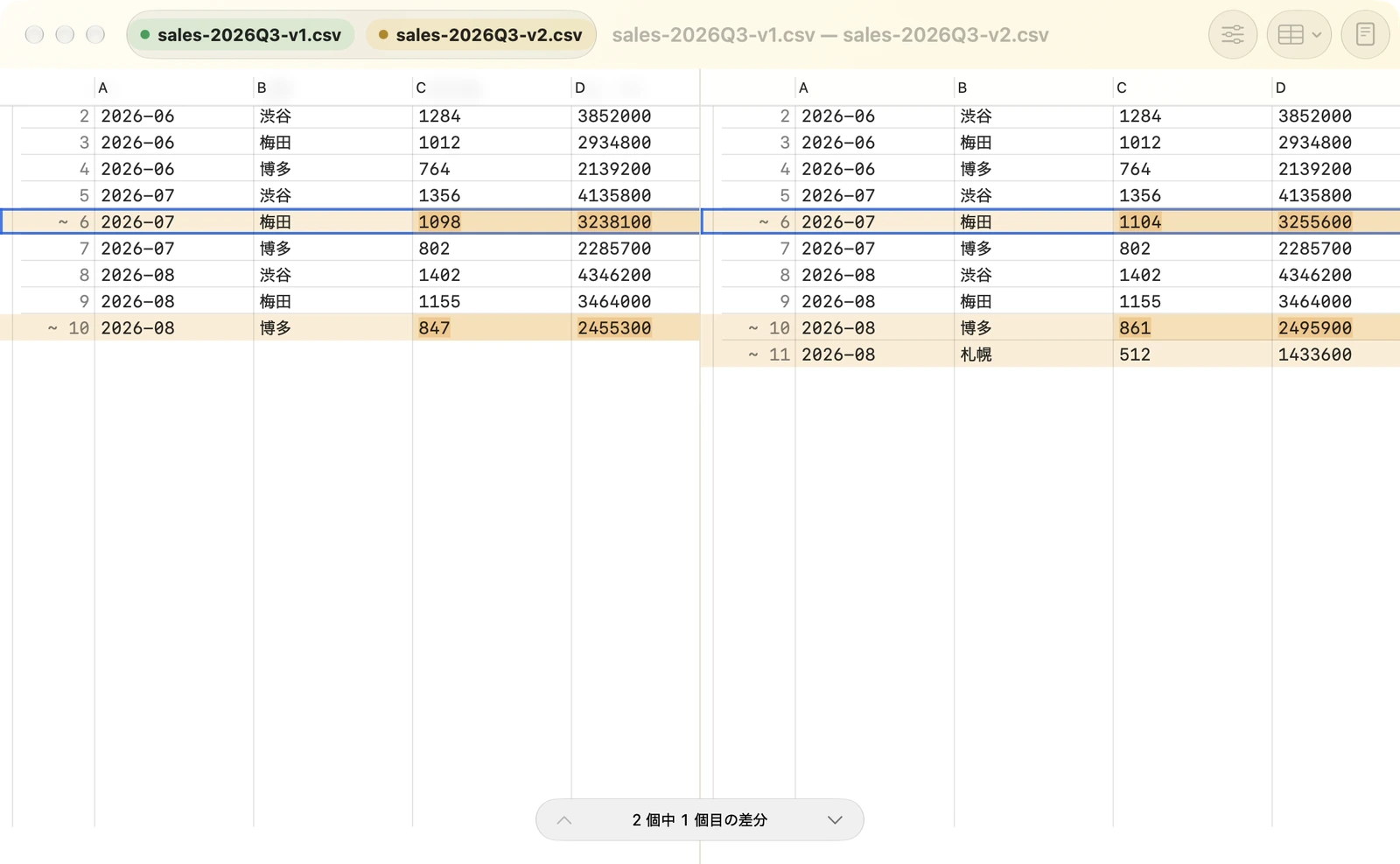
違うセルを色で示し、セルの中の変更箇所まで強調。長い一覧も、確認したい場所から。
見出しで列を、指定した列の値で行を対応づけ。追加された列や行も、違いとして見つかります。
シートごとの違いを一覧からたどれます。Numbersは、シート内の複数の表にも対応。
表は比較専用です。数式は式の文字列を比較します。書式・グラフの比較、表の編集・保存には対応していません。
文章のひと言から、フォルダーの中身、画像の細部まで。比べるものに合わせた画面で、変更を見渡せます。
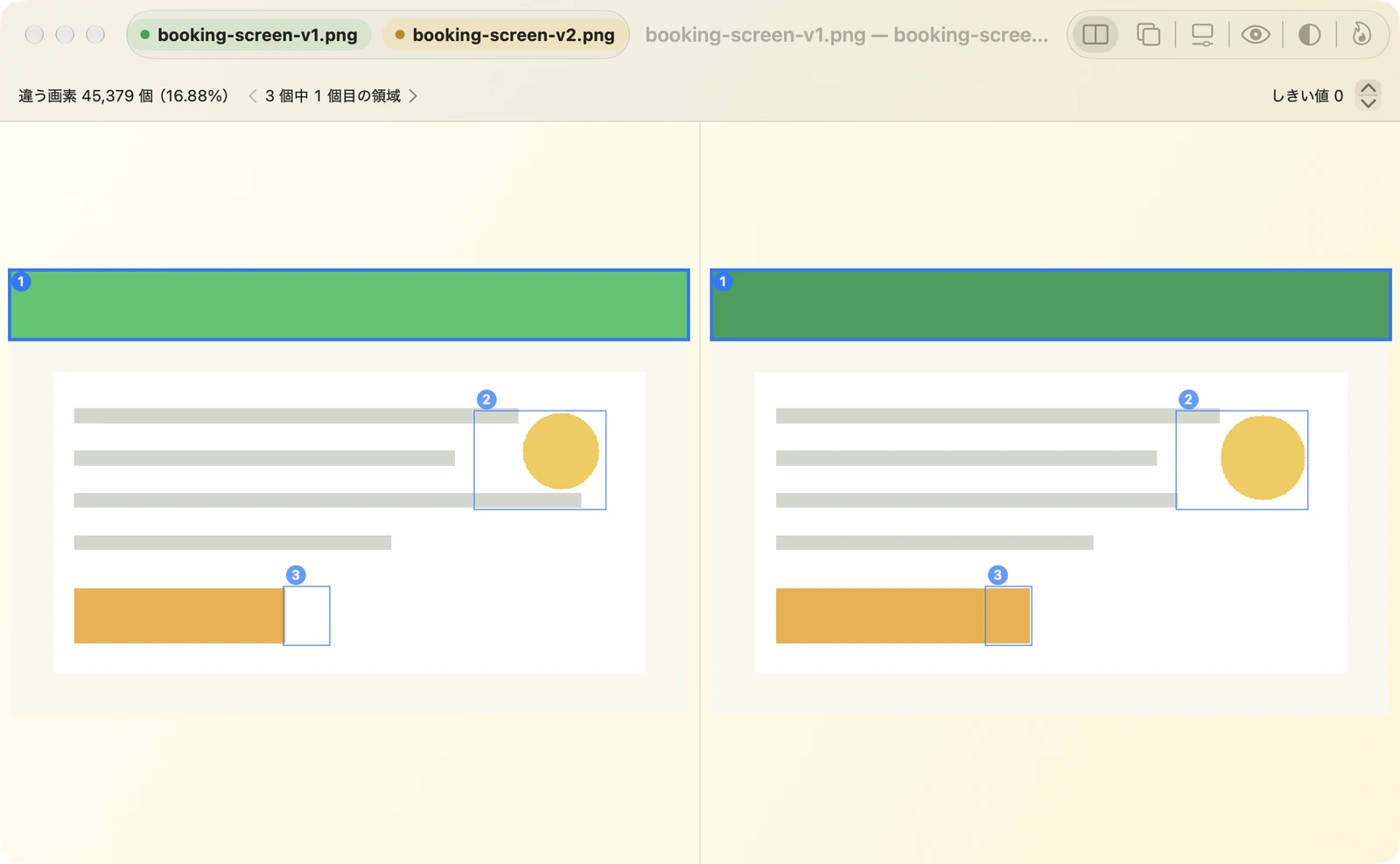
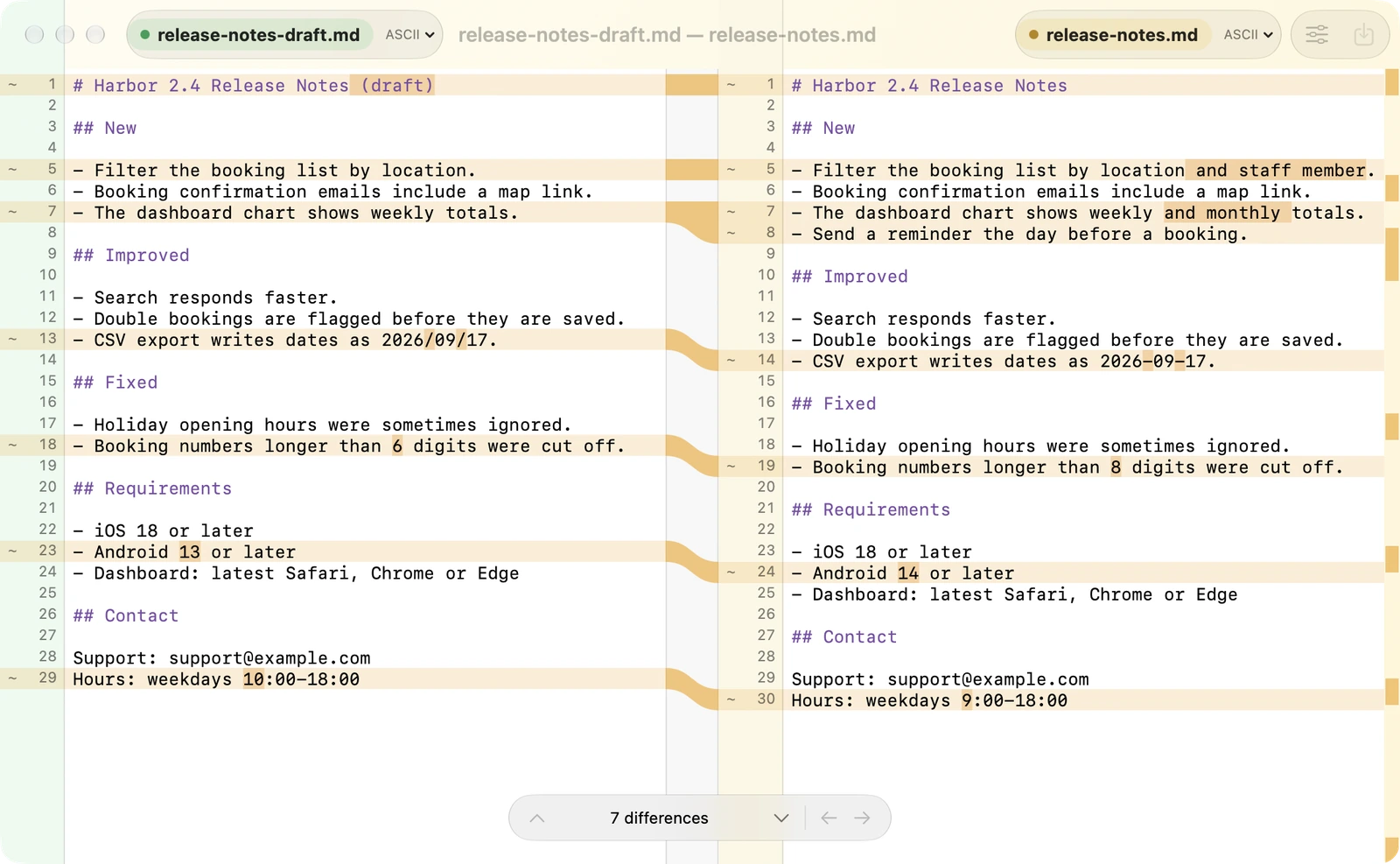
対応する行を揃えて、変わった文字を強調。必要な変更だけを左右に取り込めます。
文章・設定ファイル・ソースコードに
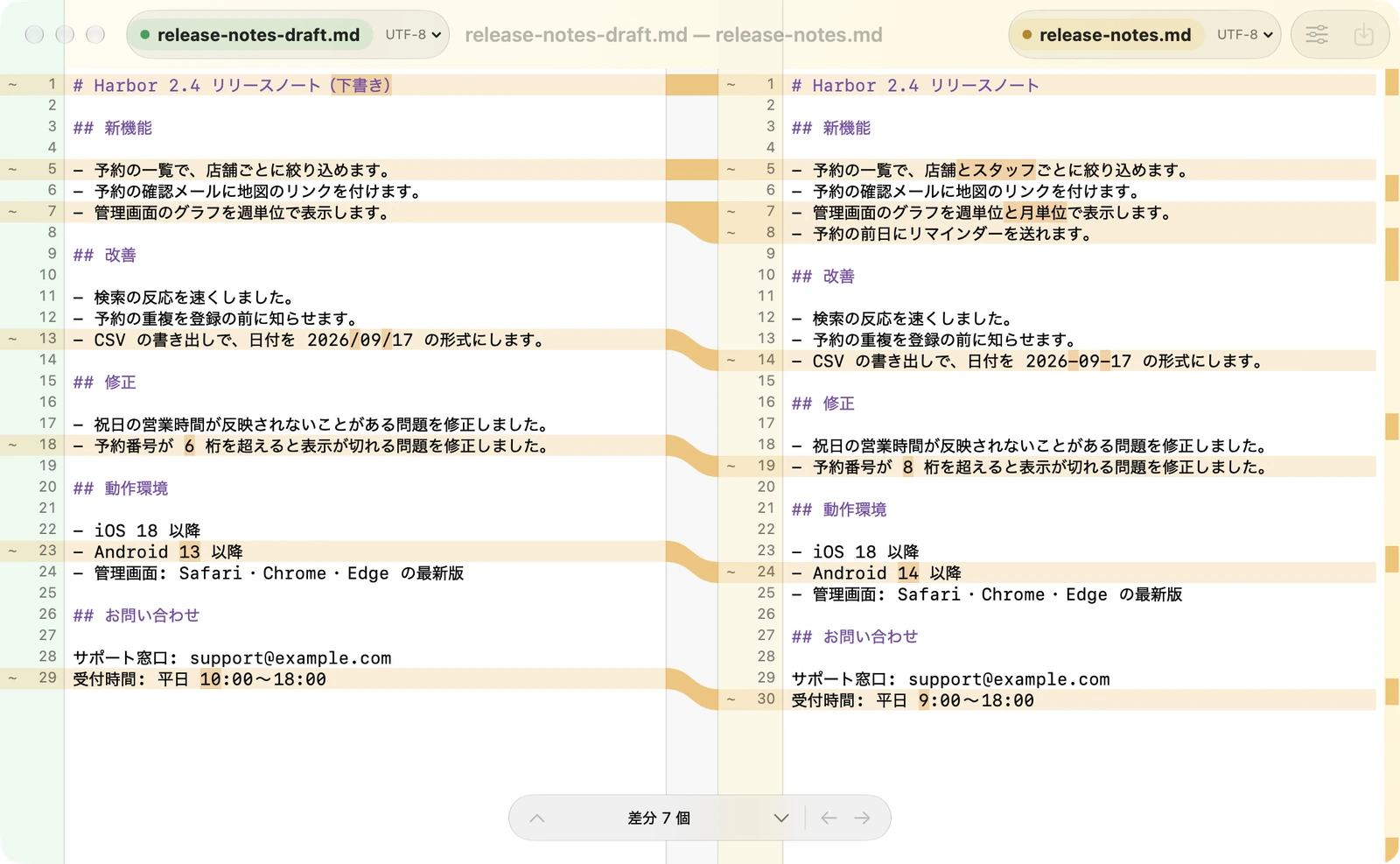
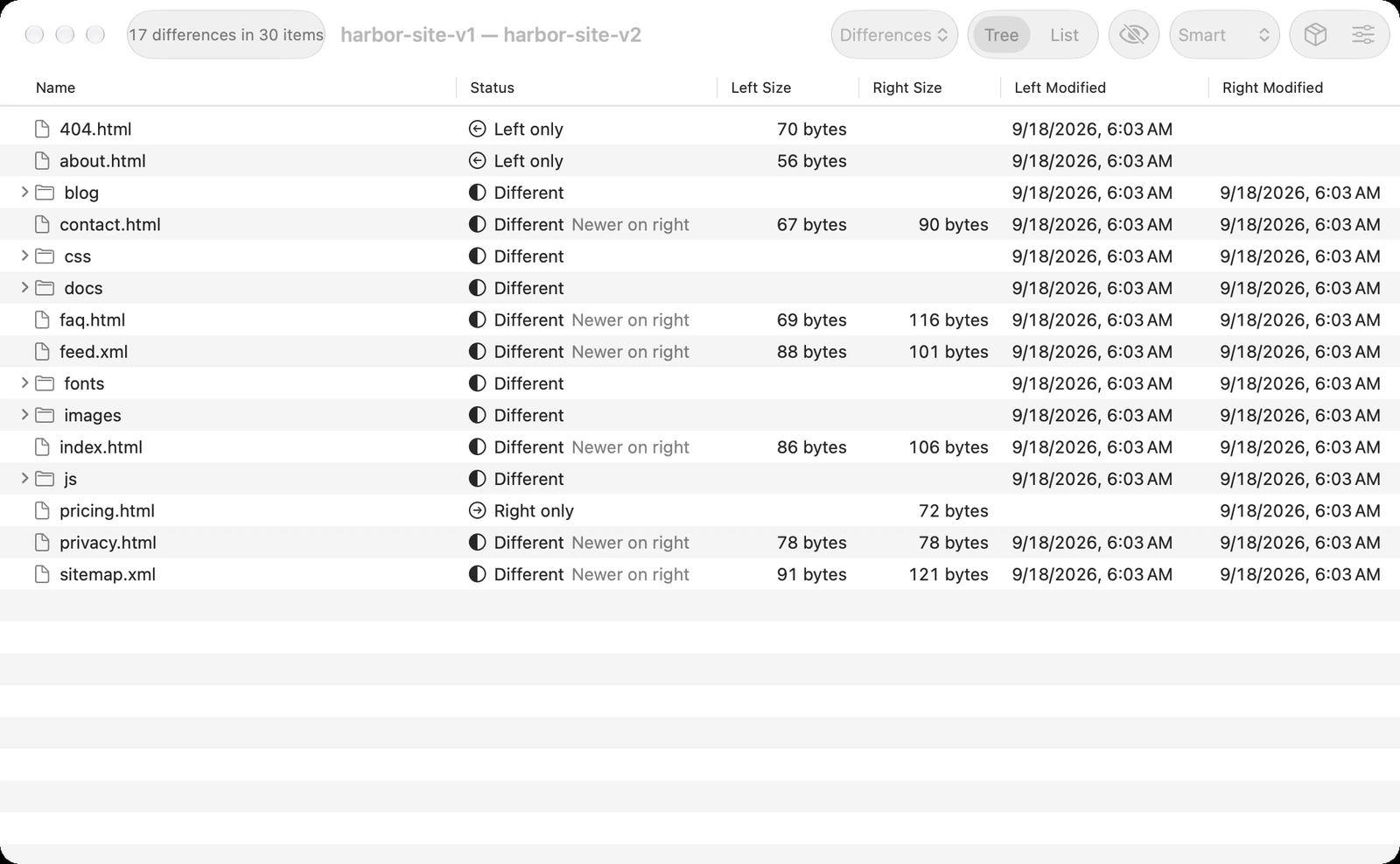
フォルダー全体を比べて、追加・削除・変更を一覧に。気になるファイルを開いて、その中身まで確かめられます。
納品データ・バックアップの確認に
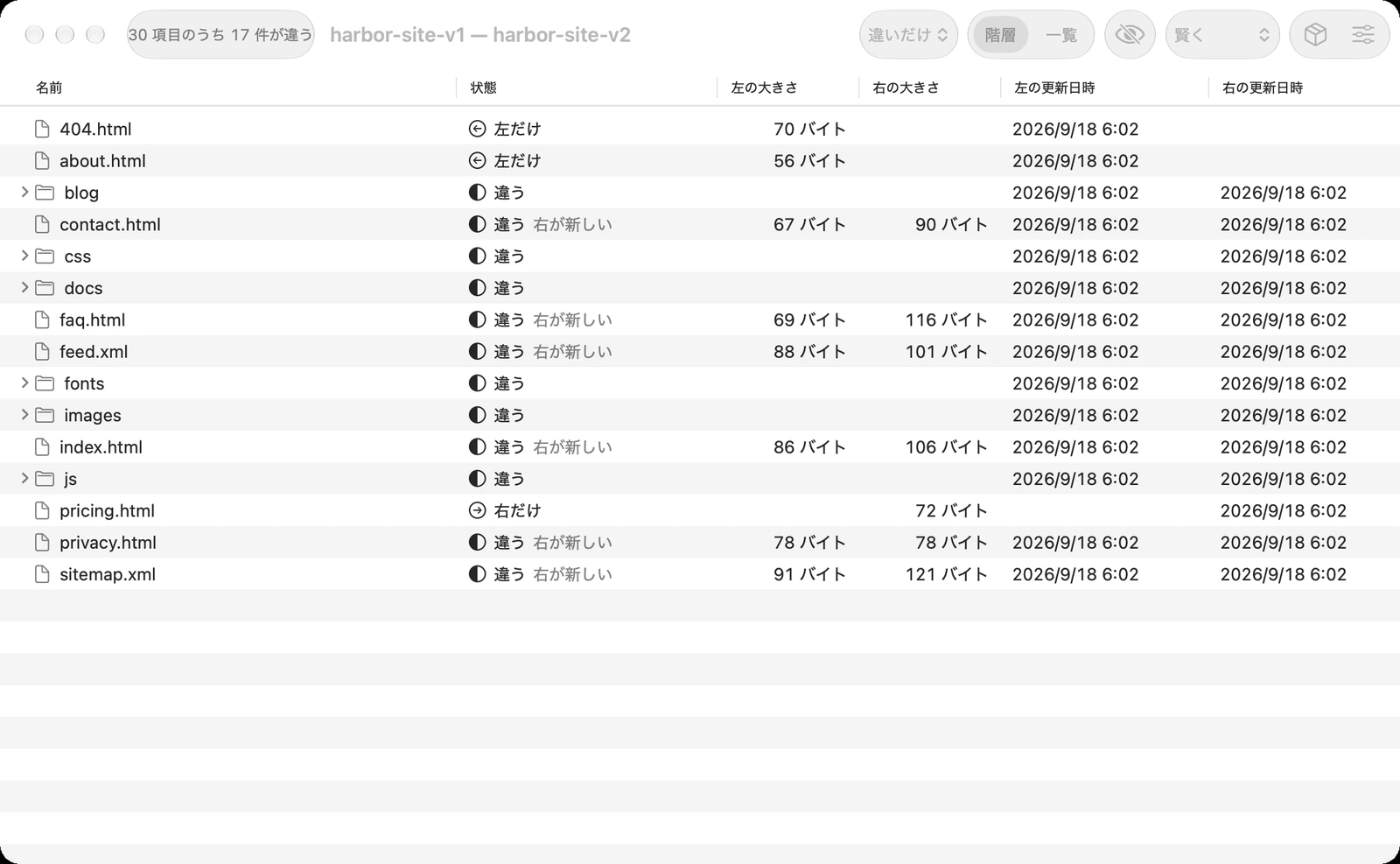
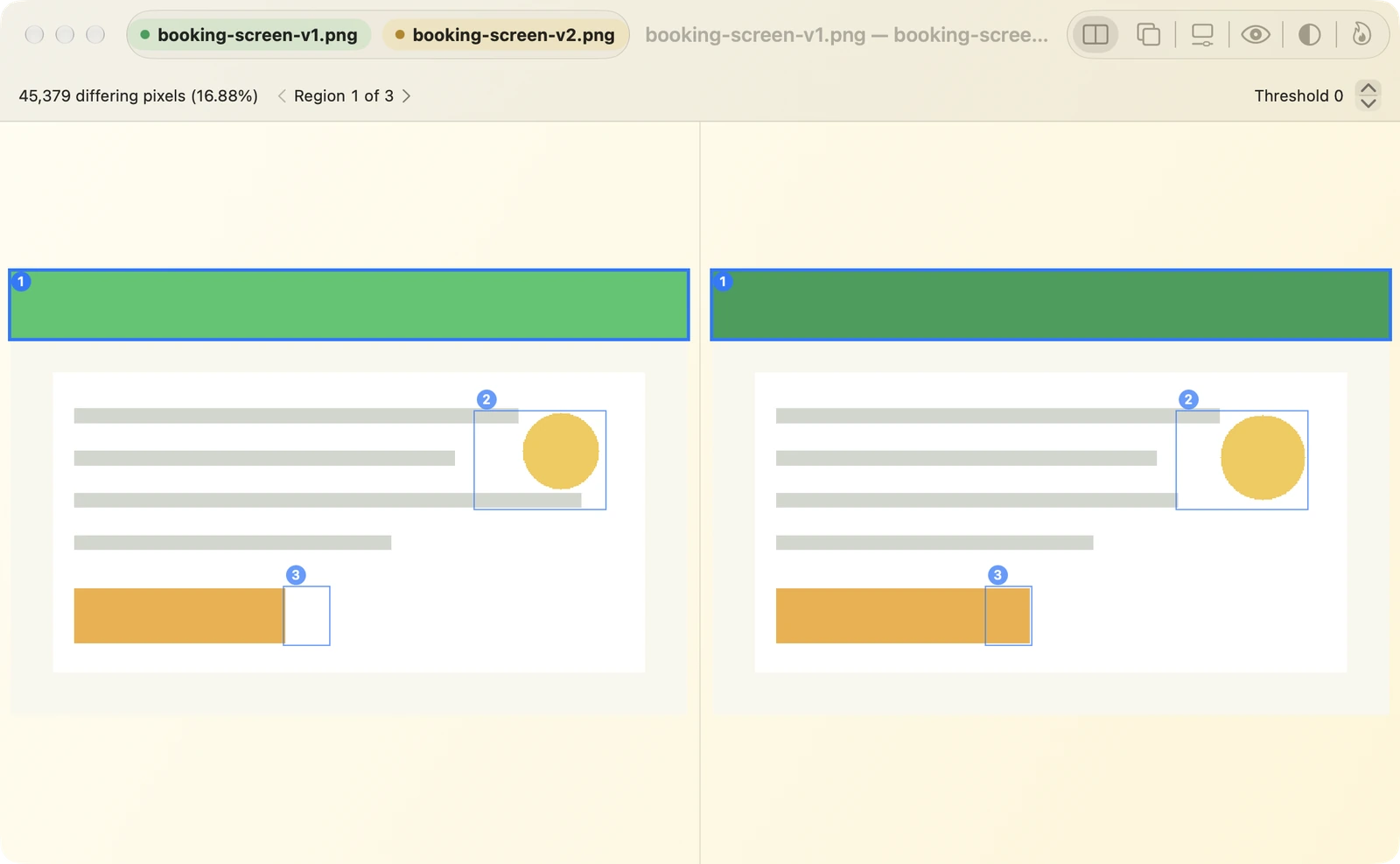
並べる、重ねる、境界を動かす。6つの見せ方で、変更された場所を確かめられます。
デザイン・スクリーンショットの確認に
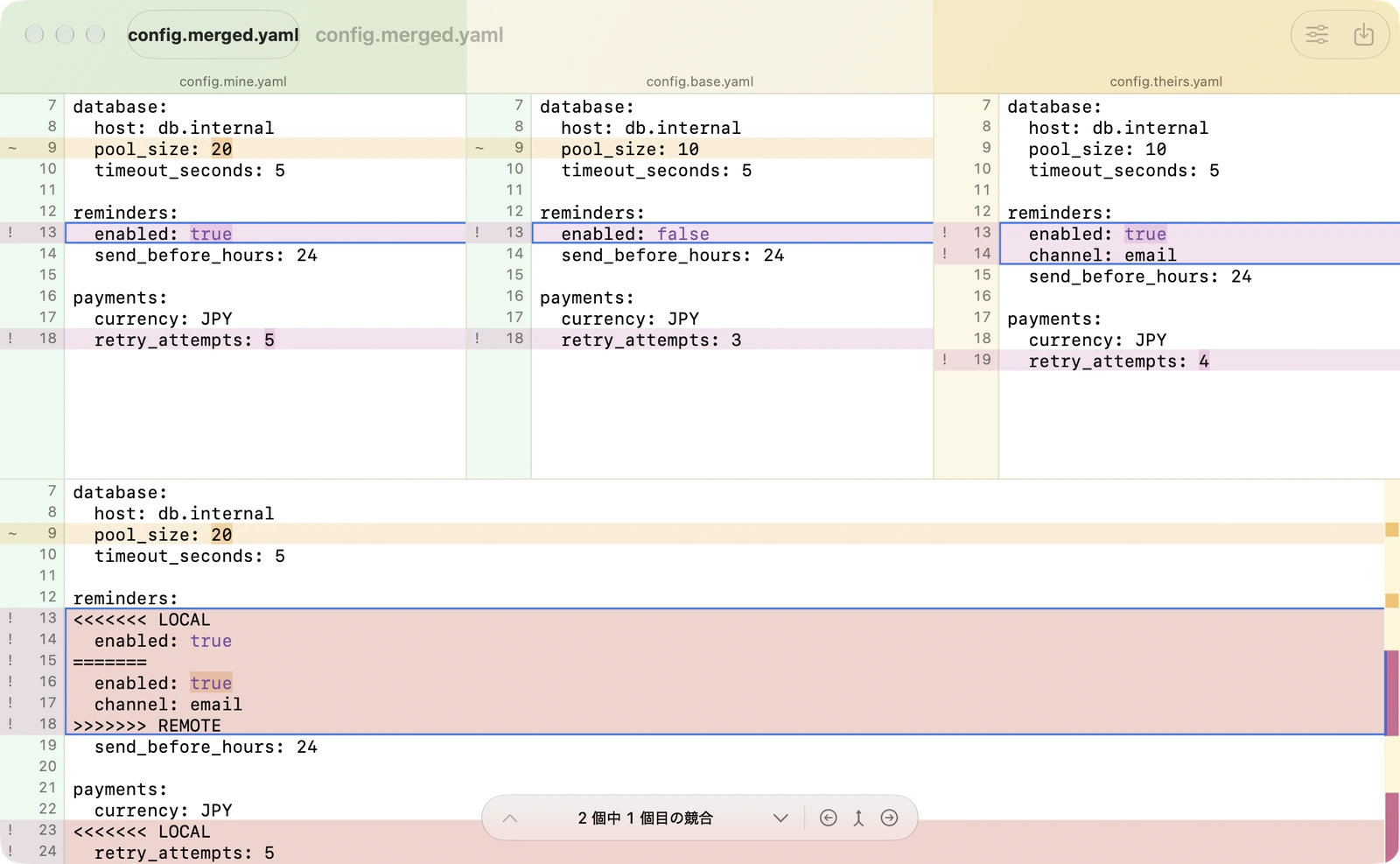
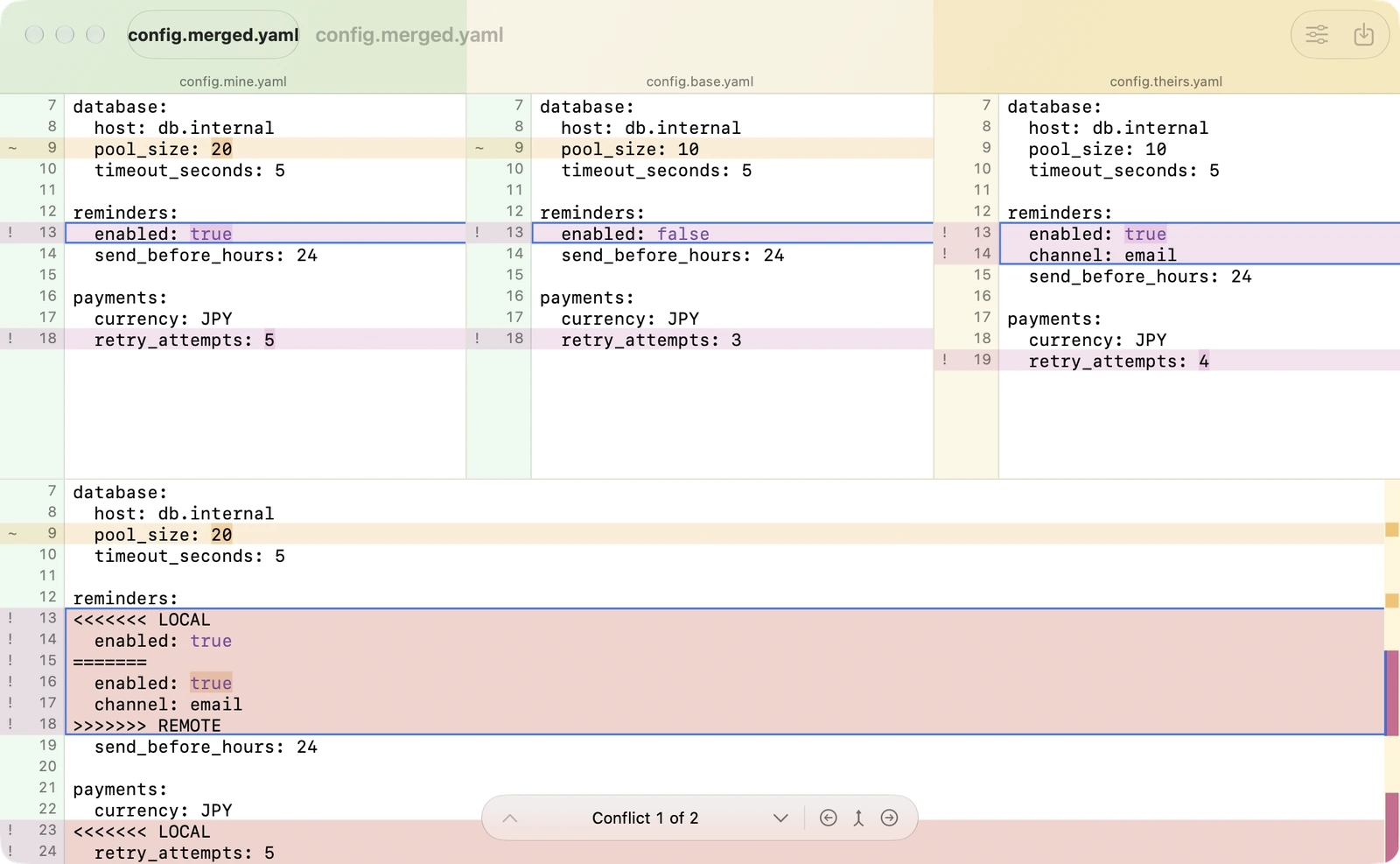
元のファイルを手がかりに、左右の変更を統合。重なった変更は競合として残し、確認してから仕上げられます。
共同編集したテキストの統合に
いつもの確認作業を、ちょっと軽やかに。
比べたいファイルやフォルダーを、左右の枠へ。Finderで2つを選んで開くこともできます。
同じところを読み続けずに、違いへジャンプ。色と並びで、変更の内容を確かめます。
表や画像は違いを確認。テキストは必要な変更を取り込み、保存して仕上げます。
Excel(.xlsx)、Numbers(.numbers)、OpenDocument(.ods)、CSV、TSVに対応しています。旧形式の.xlsと、パスワードで保護された表計算ファイルには対応していません。
表計算ファイルは読み取り・比較専用です。違いを確認したあとの修正は、ExcelやNumbersなど、いつものアプリで行ってください。
macOS 27以降のMacに対応しています。Mac App Storeから入手できるほか、DMGを直接ダウンロードすることもできます。
ブラウザで表とテキストの比較を試せます。デモはCSVサンプルを使用しています。ExcelやNumbersのファイルを開く比較はMacアプリで利用できます。
Left Right — See both sides.
macOS 27以降 · Mac App Storeで公開中
DMG は Developer ID 署名・Apple の公証済みです。自動では更新されないため、新しい版はアプリのヘルプからこのページを開いて入手してください。
SHA-256: 38415e74ad198db54e5dd4fff994564c1fc22bb3ed420895a4b63b61a7b7ff14
See both sides.
Compare what’s inside Excel, Numbers and CSV files.
Spot changed values, formulas and added rows.
Get straight to the differences that matter.
macOS 27+ · Available on the Mac App Store · Also available as a DMG
| Product | Qty | Price |
|---|---|---|
| Banana | 24 | 180 |
| Mango | 12 | 320 |
| Lime | 18 | 150 |
| — | — | — |
| Product | Qty | Price |
|---|---|---|
| Banana | 36 | 180 |
| Mango | 12 | 320 |
| Lime | 18 | 150 |
| Papaya | 8 | 480 |
Last week’s estimate and the one you received today. Which price changed? Which row is new? Put both tables side by side and start with the cells that changed.
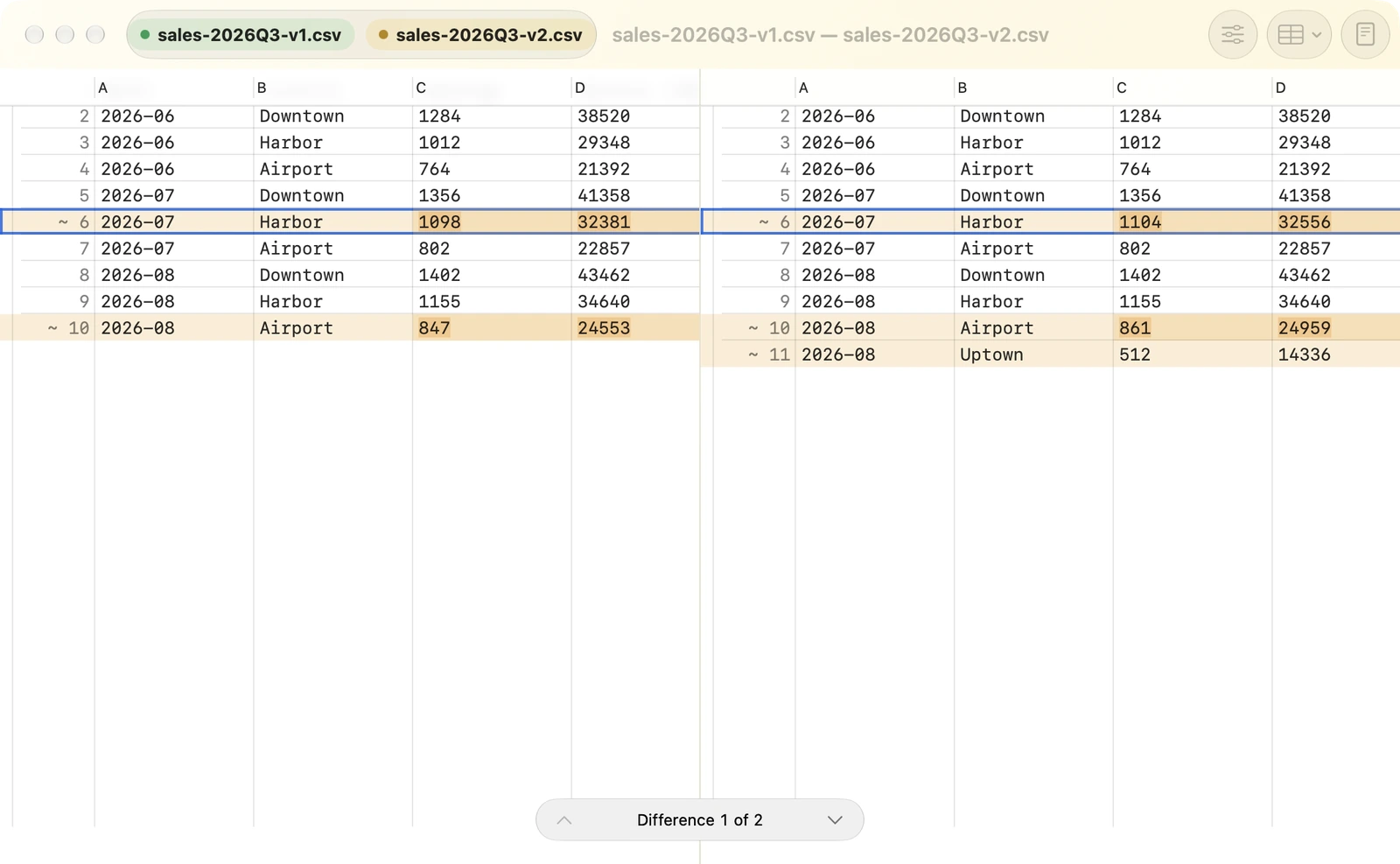
Color highlights the cells that differ, right down to the changed content within each cell.
Match columns by their headers and rows by a chosen key column. See added rows and columns as differences, too.
Follow differences from the sheet overview into each table. Numbers files with multiple tables per sheet are supported, too.
Spreadsheet comparison is read-only. Formulas are compared as text. Formatting, charts and spreadsheet editing or saving are not supported.
A line of text, a folder full of files, a tiny detail in an image. Each kind of comparison gets a view that helps you see what changed.
Keep corresponding lines aligned and highlight changed characters. Bring across just the changes you want.
For writing, configuration files and code
Compare entire folders for added, removed and changed files. Open a pair to explore the differences inside.
For deliveries and backup checks
Side by side, overlaid or behind a moving divider. Six views help you locate and inspect visual changes.
For designs and screenshots
Use the original file to combine changes from both sides. Overlapping changes stay marked as conflicts for you to review.
For combining text edited by multiple people
Make the everyday work of checking a little lighter.
Drop two files or folders into the left and right areas. Or select a pair in Finder to start comparing.
Jump between differences and use color and alignment to understand what changed.
Inspect tables and images. For text, bring across the changes you want and save when you’re ready.
Excel (.xlsx), Numbers (.numbers), OpenDocument (.ods), CSV and TSV. Legacy .xls and password-protected spreadsheets are not supported.
Spreadsheet comparison is read-only. Once you’ve reviewed the differences, make your edits in Excel, Numbers or your usual spreadsheet app.
Left Right requires macOS 27 or later. Download it from the Mac App Store, or download the DMG directly.
Try the table and text comparison demo in your browser. The demo uses CSV samples; comparing Excel and Numbers files requires the Mac app.
Left Right — See both sides.
macOS 27+ · Available on the Mac App Store
The DMG is signed with Developer ID and notarized by Apple. It does not update automatically — open this page from the app’s Help menu to get new versions.
SHA-256: 38415e74ad198db54e5dd4fff994564c1fc22bb3ed420895a4b63b61a7b7ff14